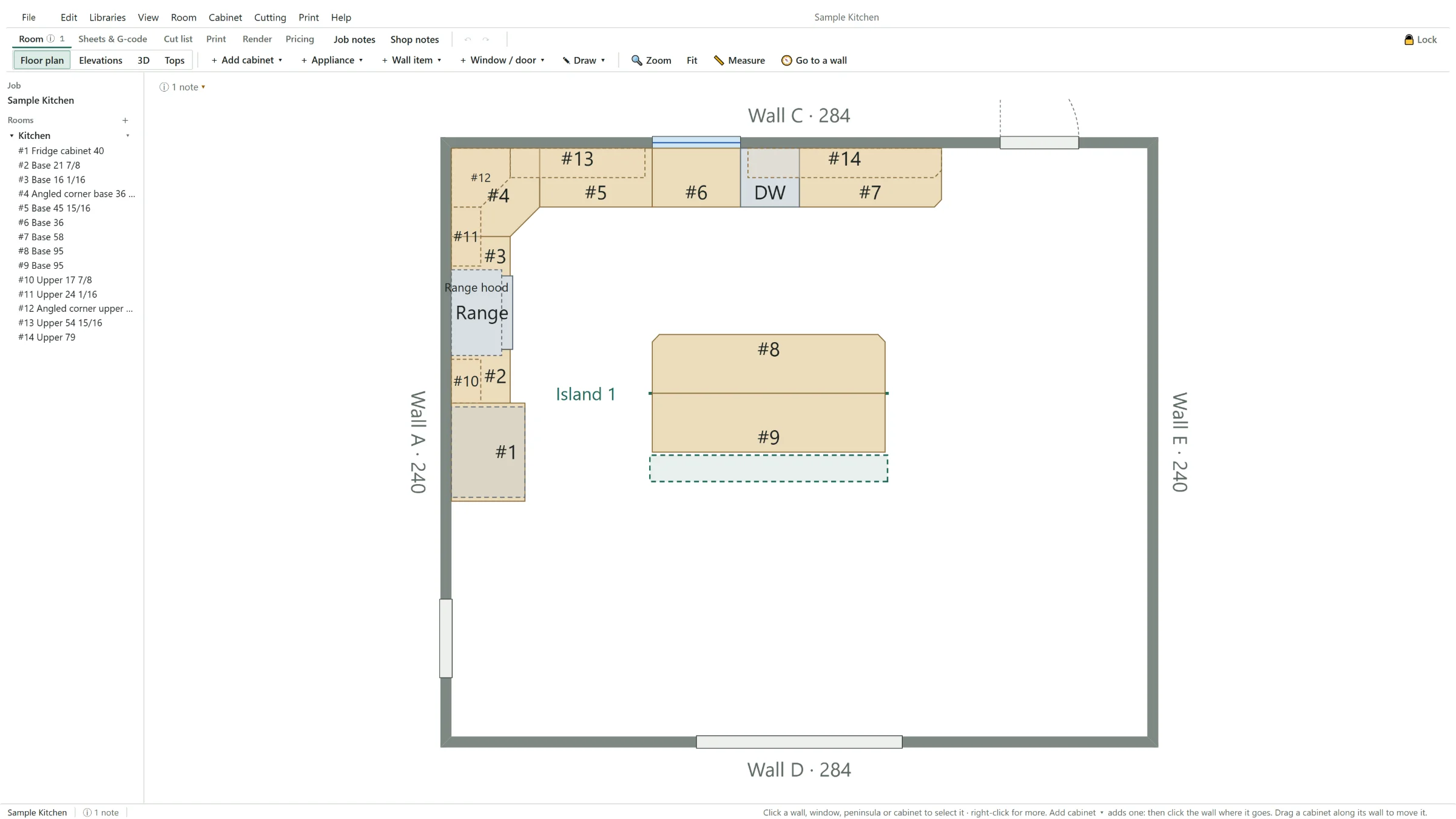
1Draw the room
Walls, windows, doors and openings, to the sixteenth. Corners, islands and peninsulas fit together the way they're installed, with the sizes you want on the drawing.

How it works
Draw the room, place the cabinets, set every opening. CabWorks figures every part from your own settings and makes everything the shop, the office and the customer need.
Walls, windows, doors and openings, to the sixteenth. Corners, islands and peninsulas fit together the way they're installed, with the sizes you want on the drawing.
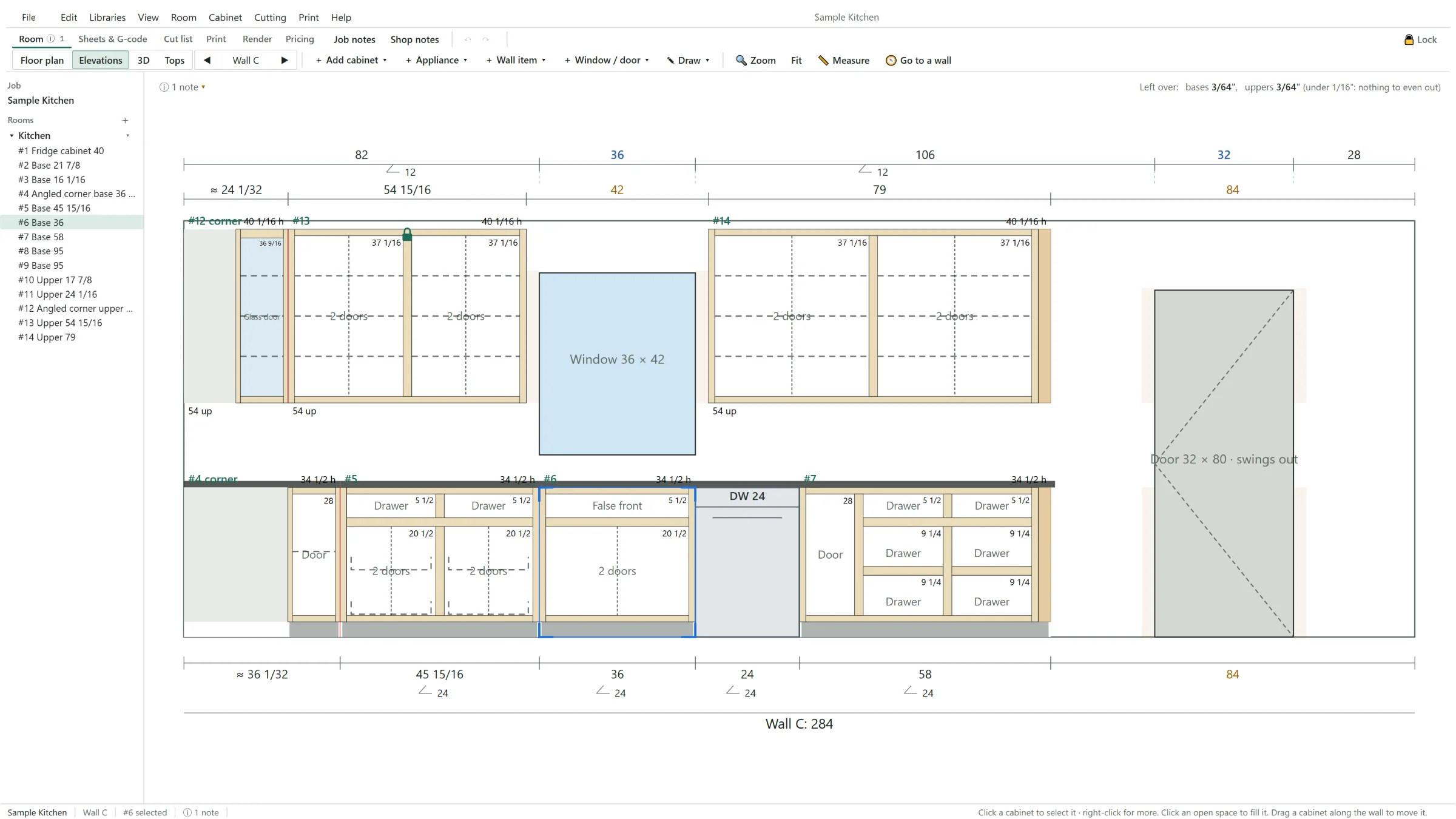
Bases, uppers, talls, corners and appliances along each wall. The run's sizes show as you go, and whatever is left over goes where you want it.
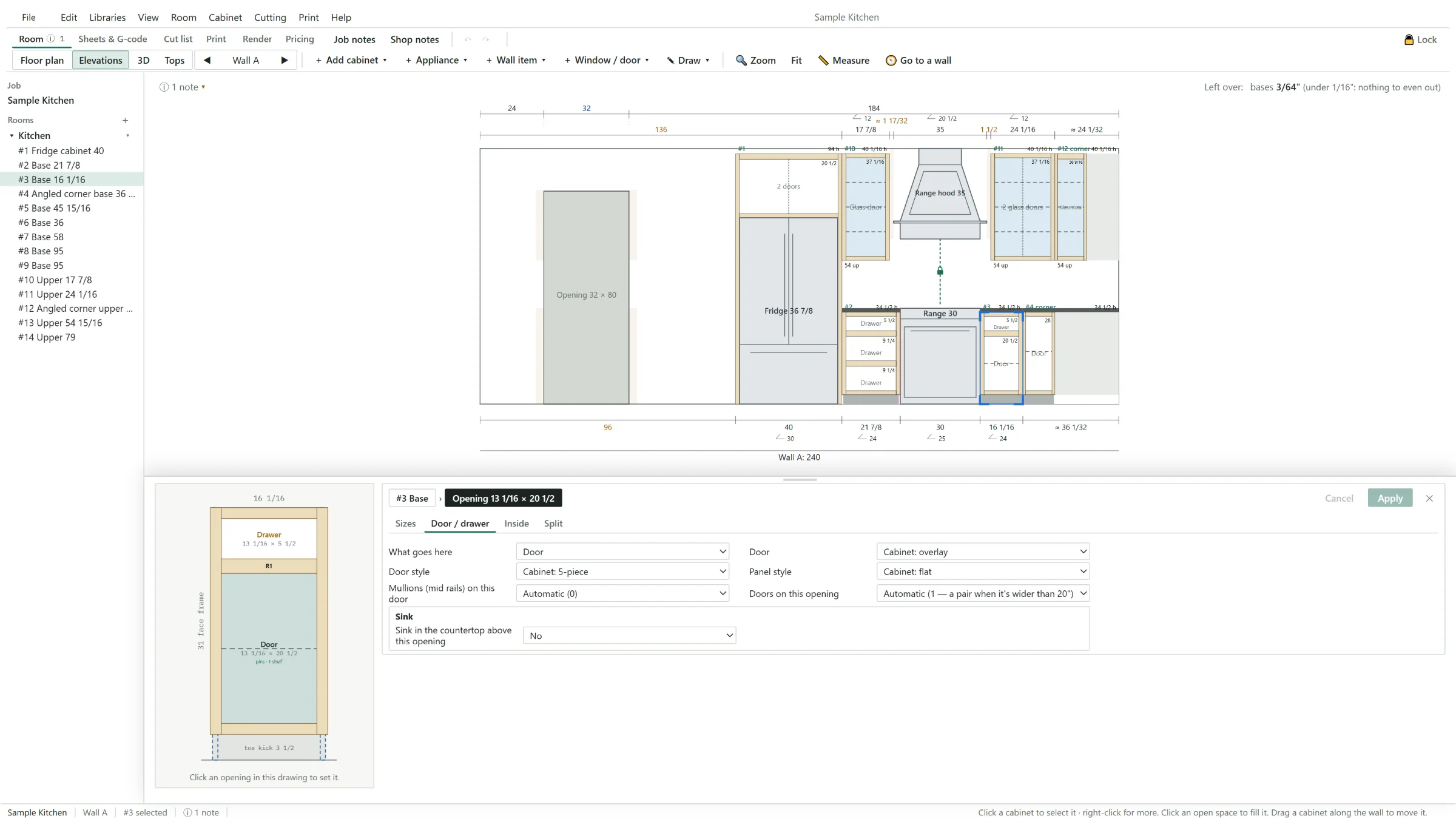
Doors, drawers, false fronts, shelves, rollouts and glass, opening by opening, right under the wall drawing. Openings land on the sixteenth and pairs always match.
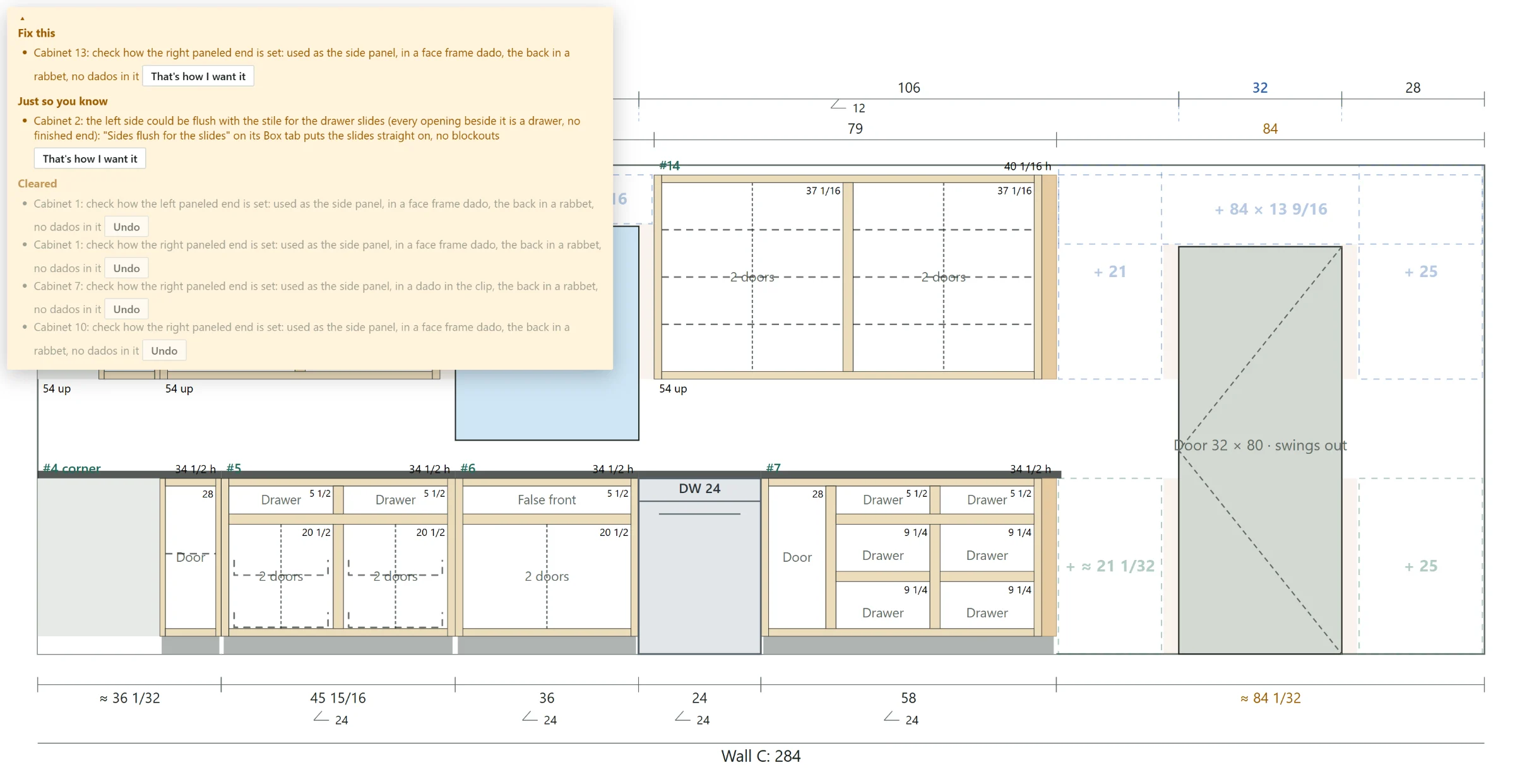
Anything that needs a look is said in plain words, right on the drawing: what's wrong, on which cabinet, and what to do about it. Notes are kept apart from the real problems.
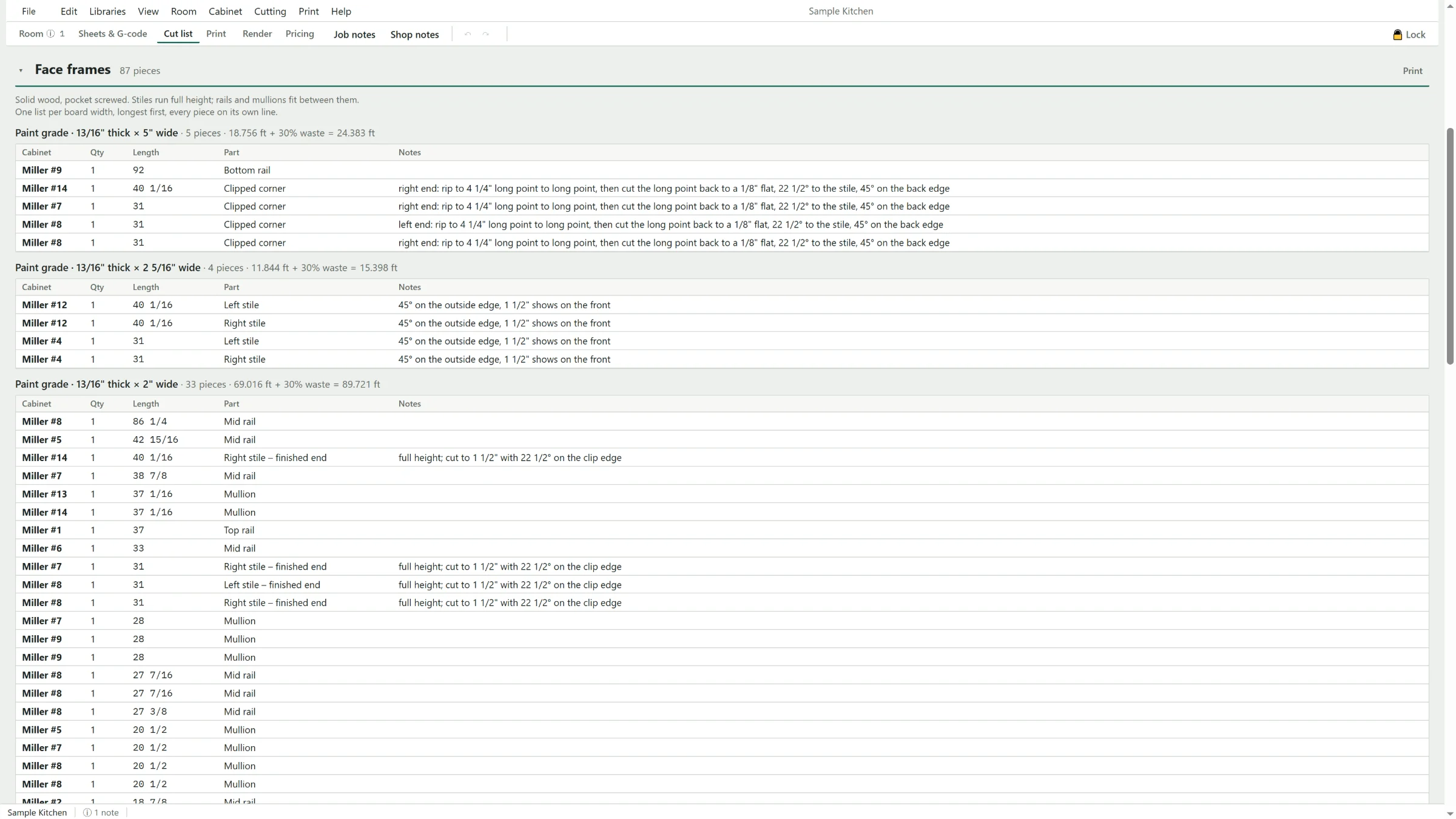
Plywood parts in decimals; face frames, doors and drawer fronts in fractions; glue-ups and board feet with your waste. Every piece carries its mark: the cabinet number, -R, -M.
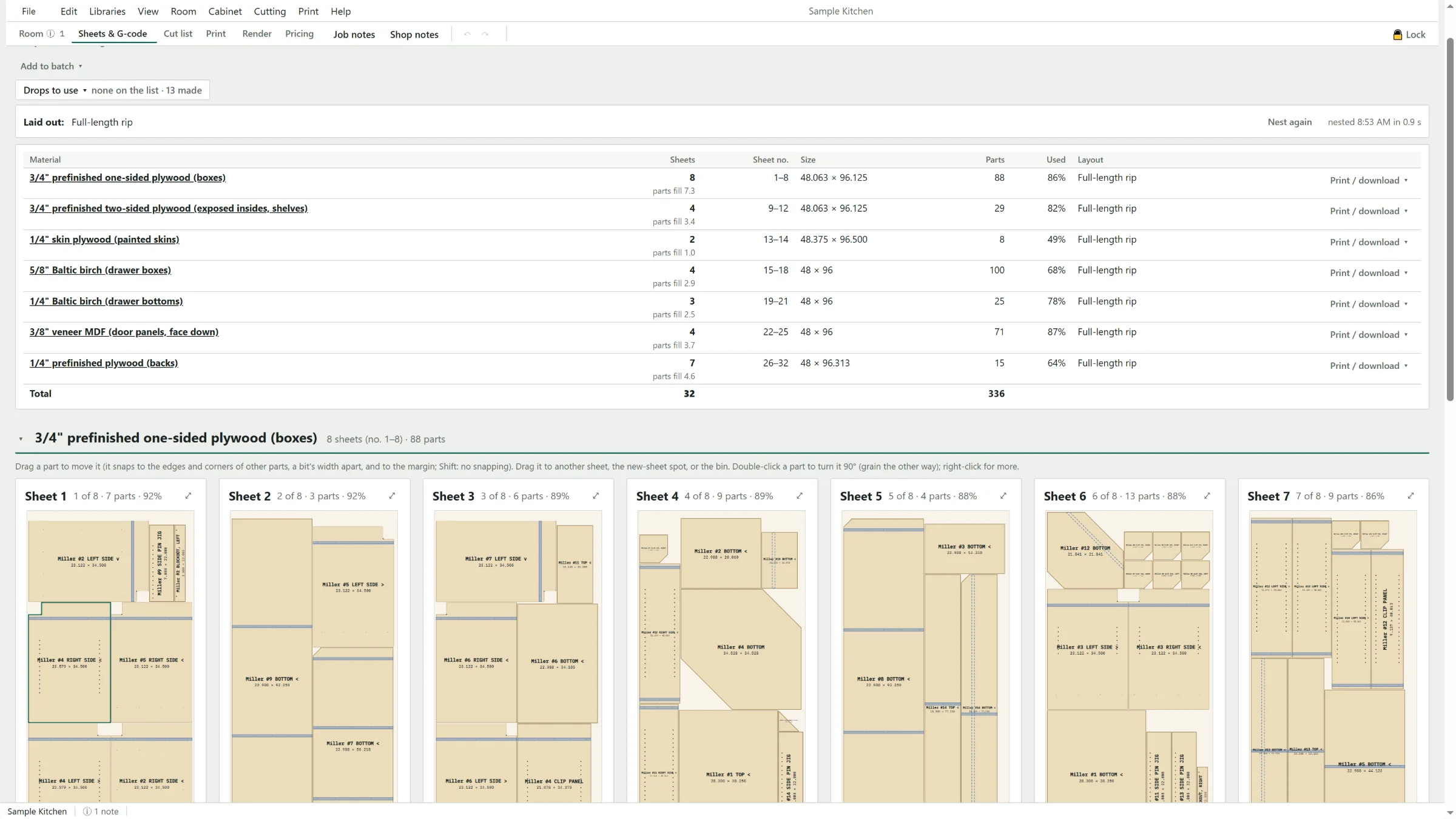
Parts laid out on your sheets, drops kept and used on the next job. Every program is read back by a separate safety check before it can be saved: table travel, depths, tools. If anything looks wrong, nothing goes to the machine.
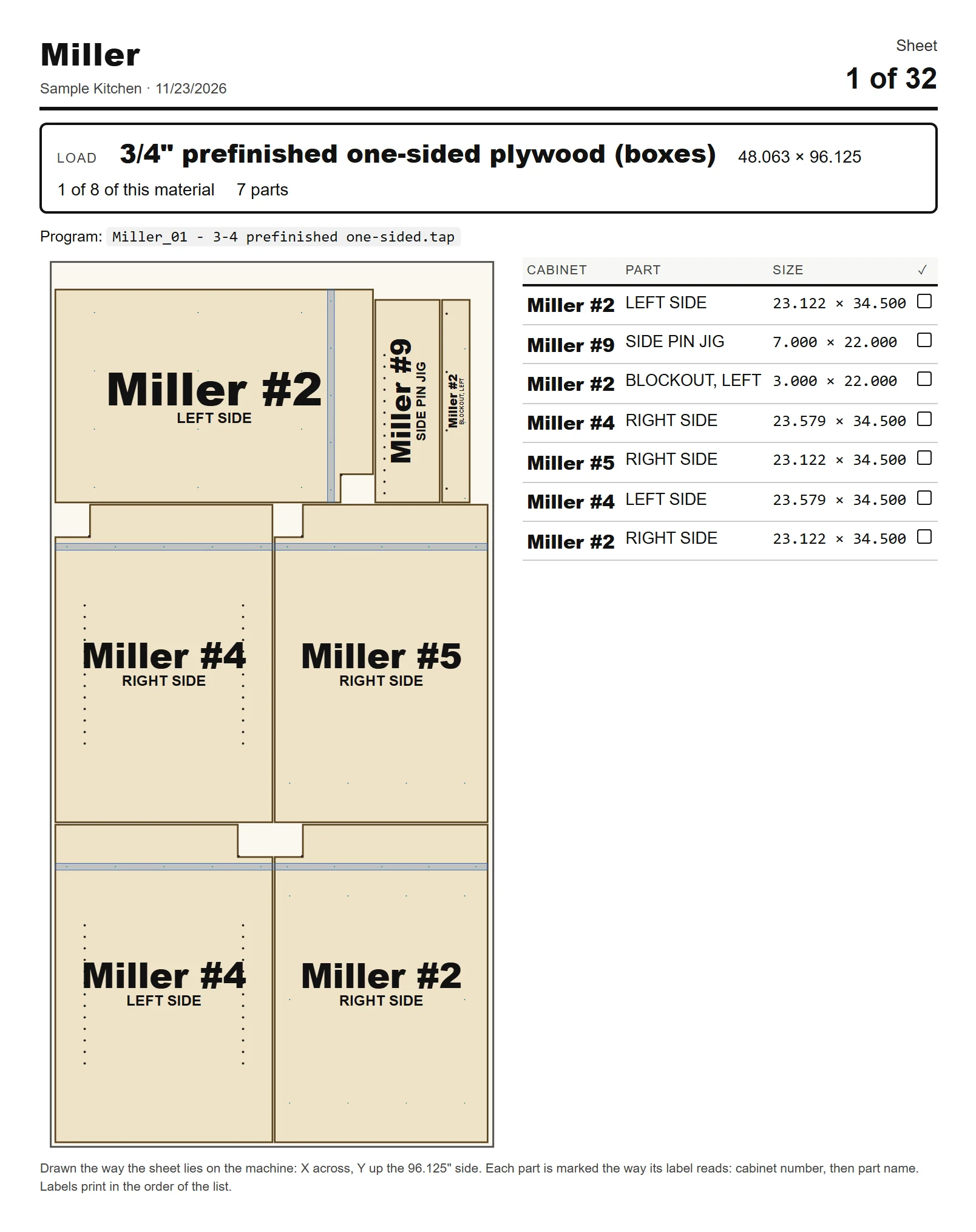
Each sheet drawn with its part numbers, so whoever unloads the router knows what every piece is. A label for every part, with the same marks, on your own label printer.
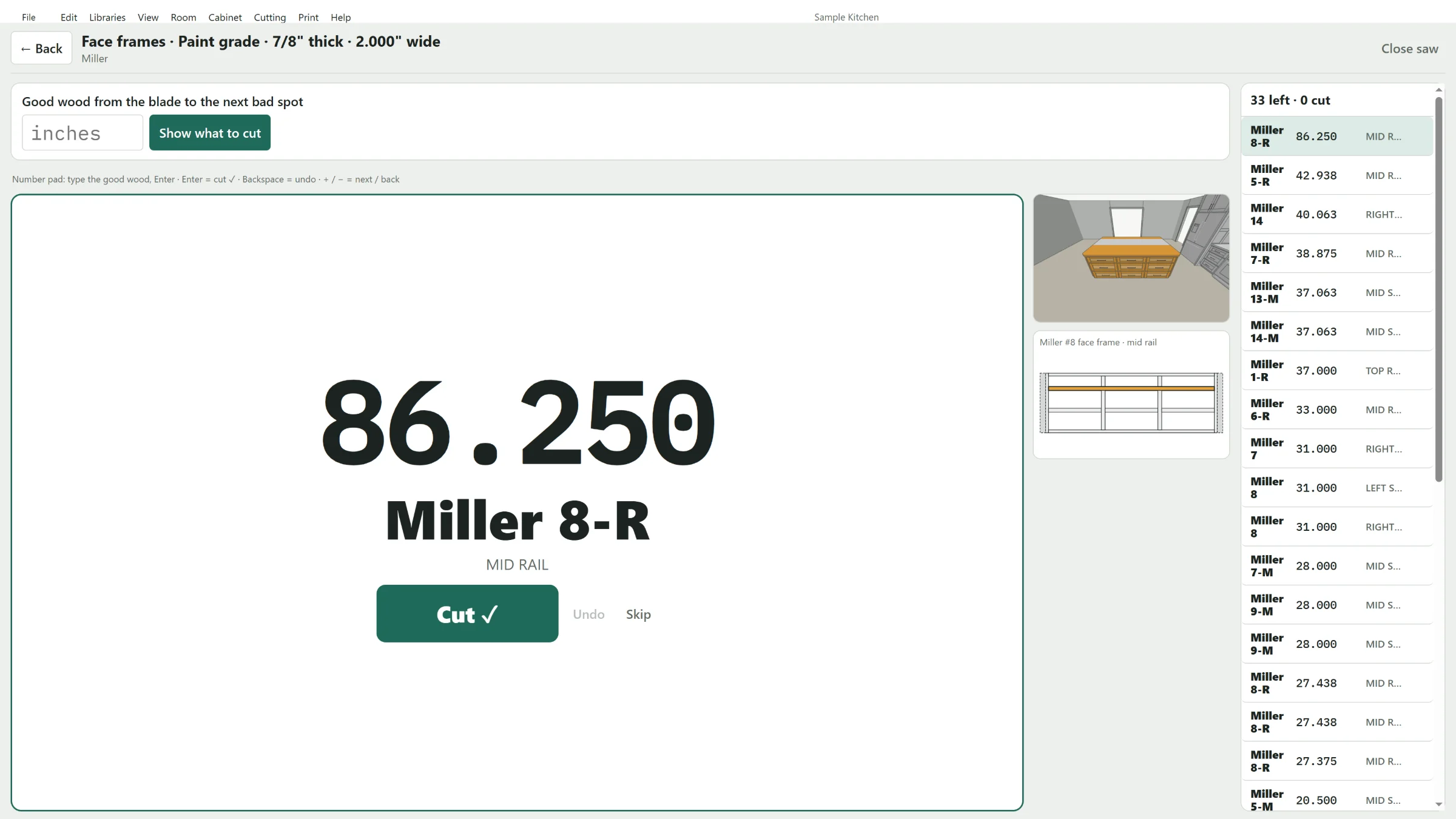
The solid wood one stock at a time, longest first, with the big number to set your stop. Tell it how much good wood you have and it says what to cut from it. Check it off and print its label. On a tablet at the saw if you like.
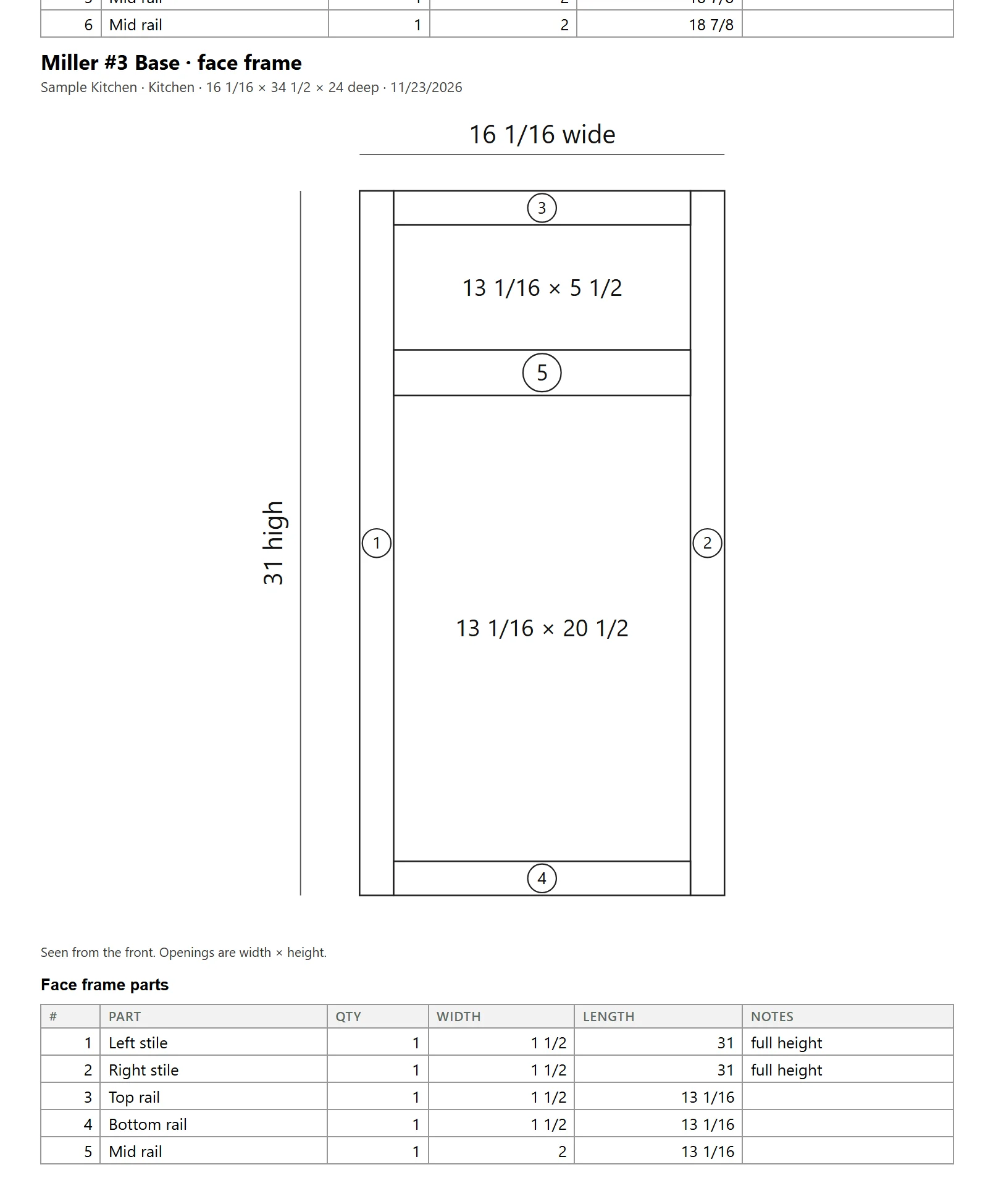
Every face frame drawn from the front with each piece numbered, its openings sized, and its parts list in fractions. The dado sheets measure from the stile edge, the way you set your stops.
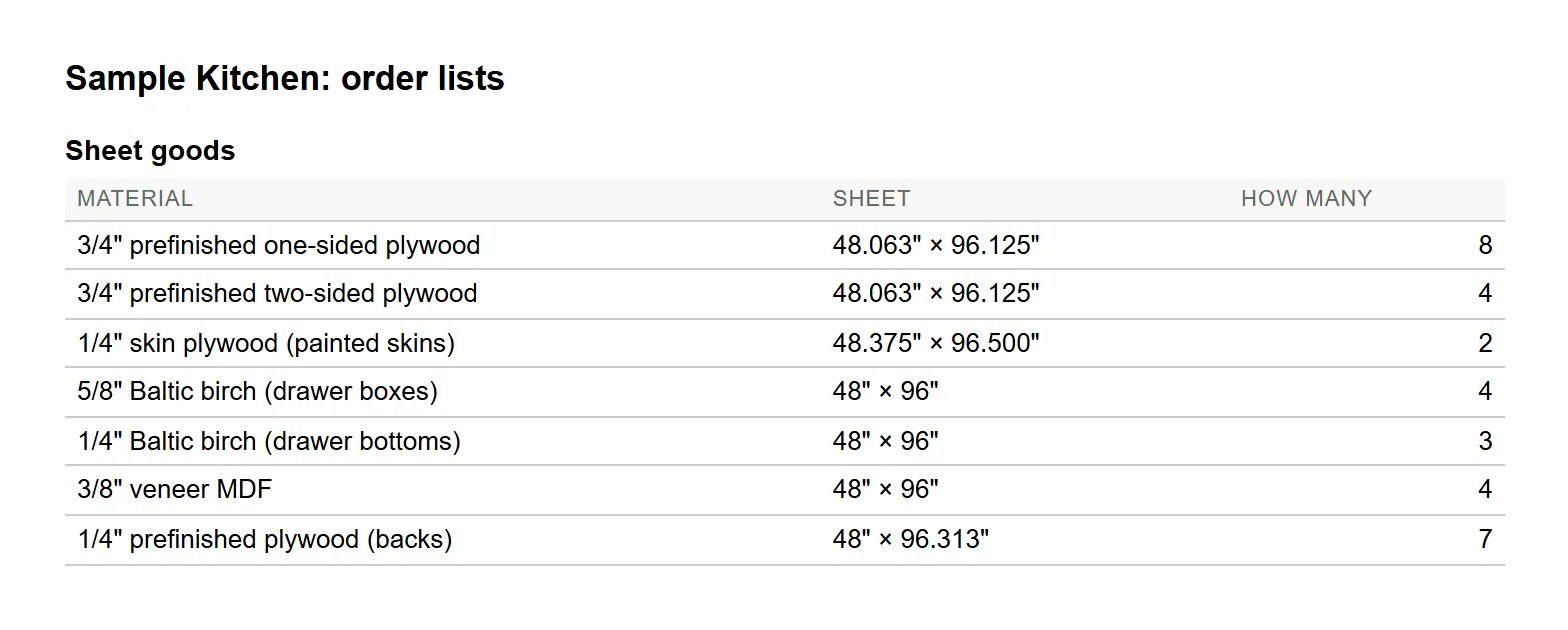
Sheet goods, lumber in board feet, hardware by supplier, and orders for the doors and drawer boxes you buy. The paint list says how many gallons of primer, paint, stain and clear to get.
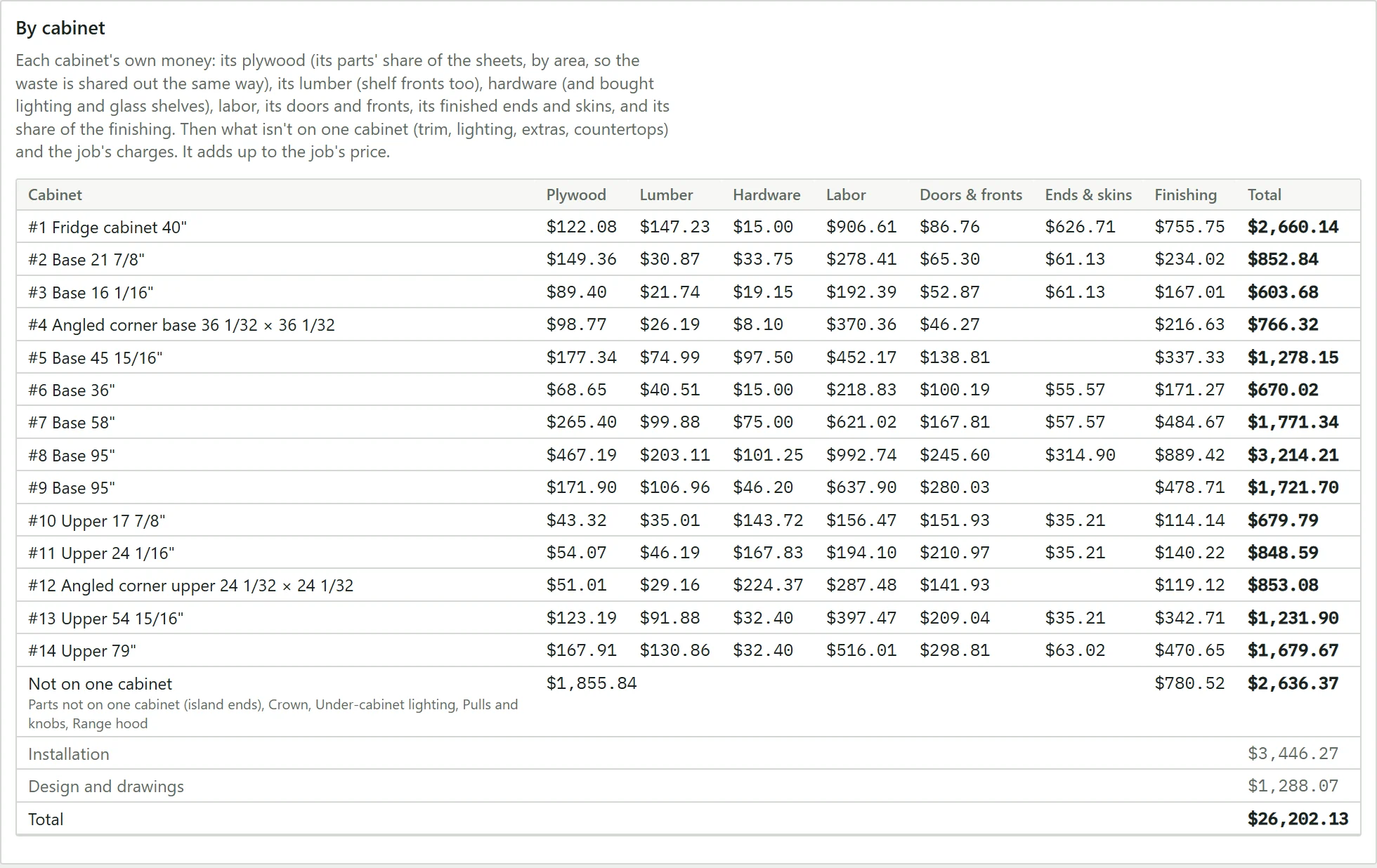
Your prices, your labor and your markup, cabinet by cabinet: plywood, lumber, hardware, labor, doors and finishing. The materials come from the real parts, so the price follows the job as it changes.
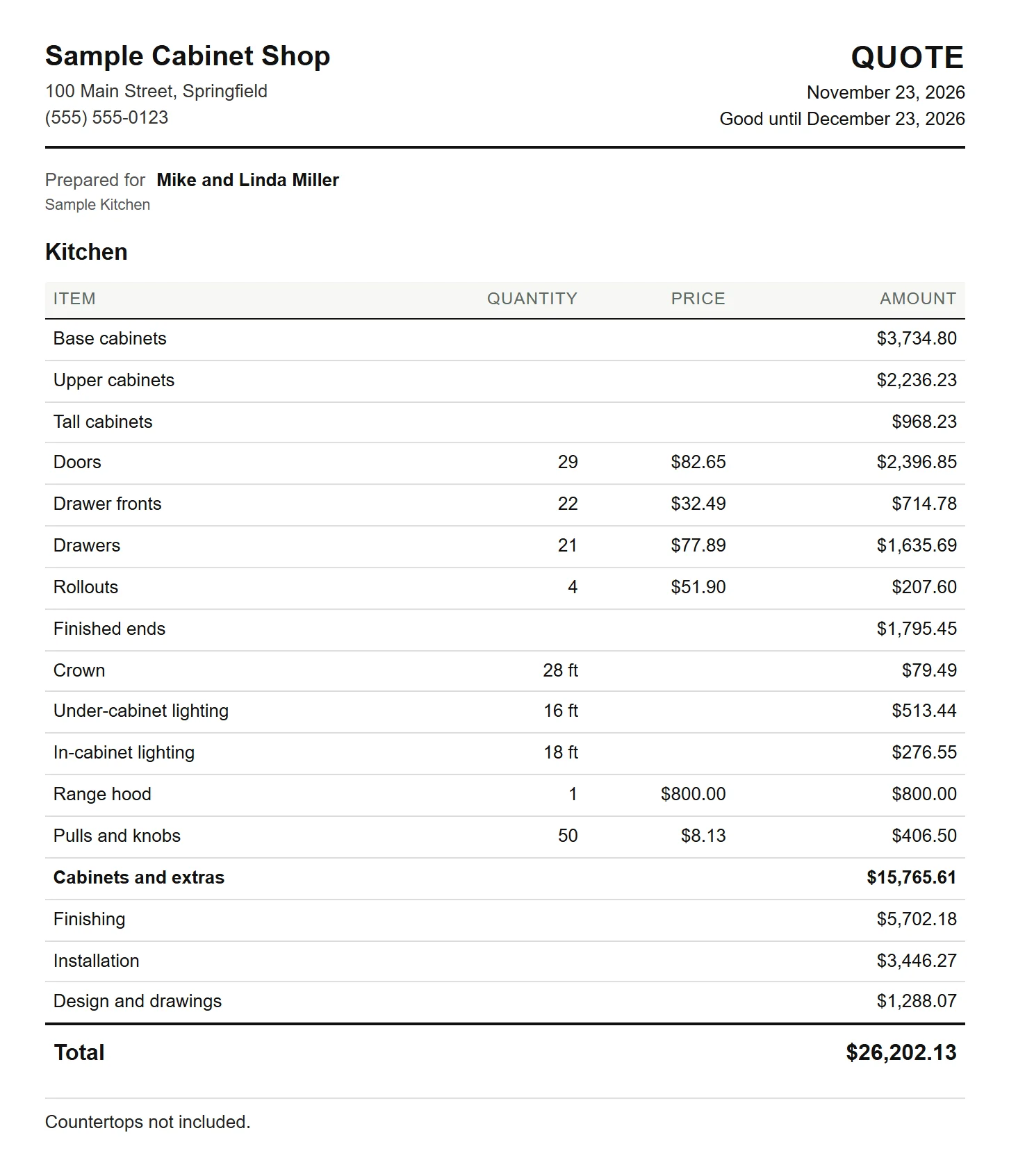
A clean quote for the customer, in plain words with no shop talk, room by room, with your company's name on it.
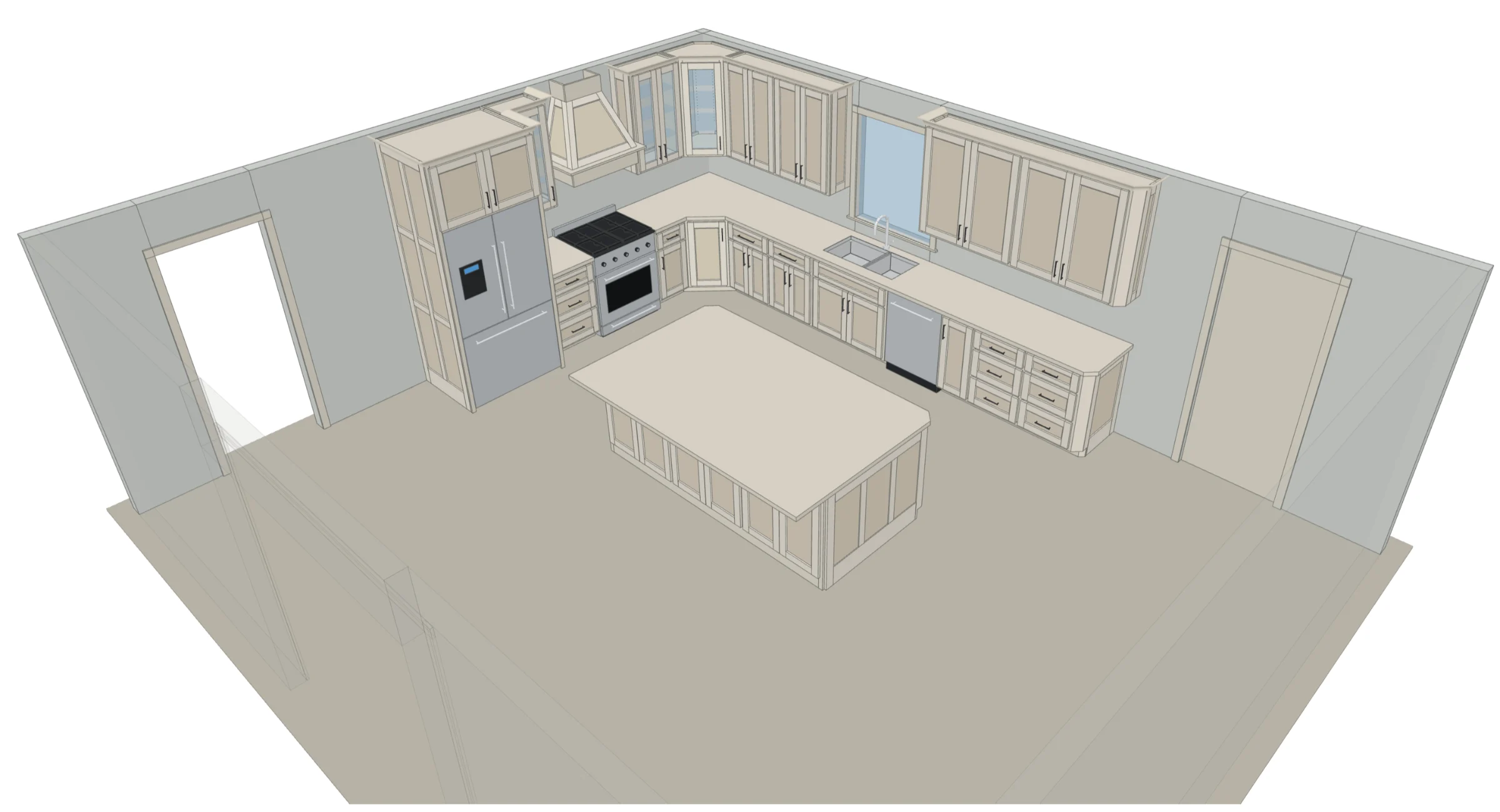
Turn the kitchen around in 3D, then render it with real light: ceiling cans, pendants, under-cabinet strips and daylight. Try stains, paints, hardware and countertops on the customer's own kitchen.

Any cabinet pulled apart, piece by piece, with every part's size. Handy at the bench, and for showing someone new how it goes together.
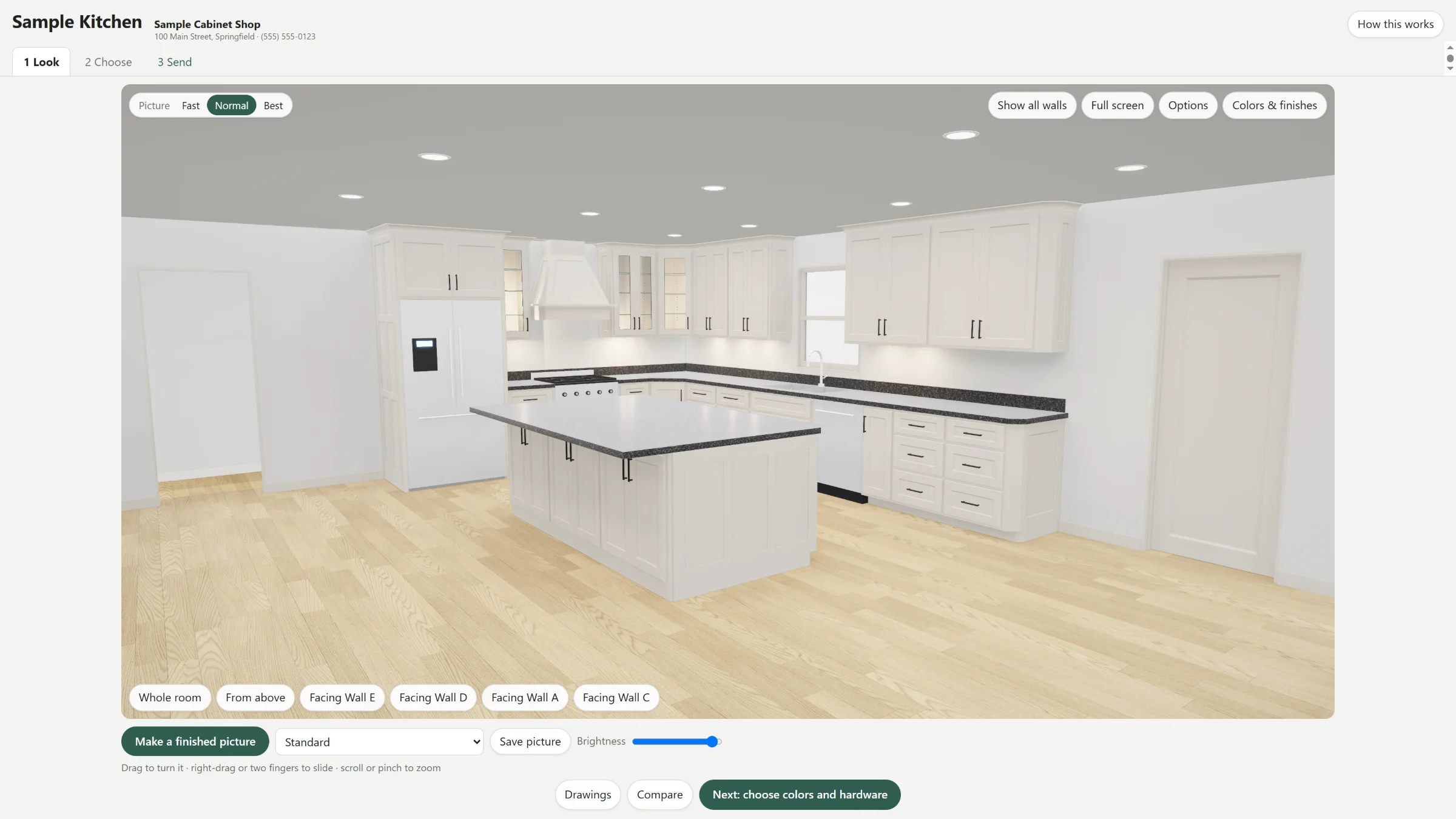
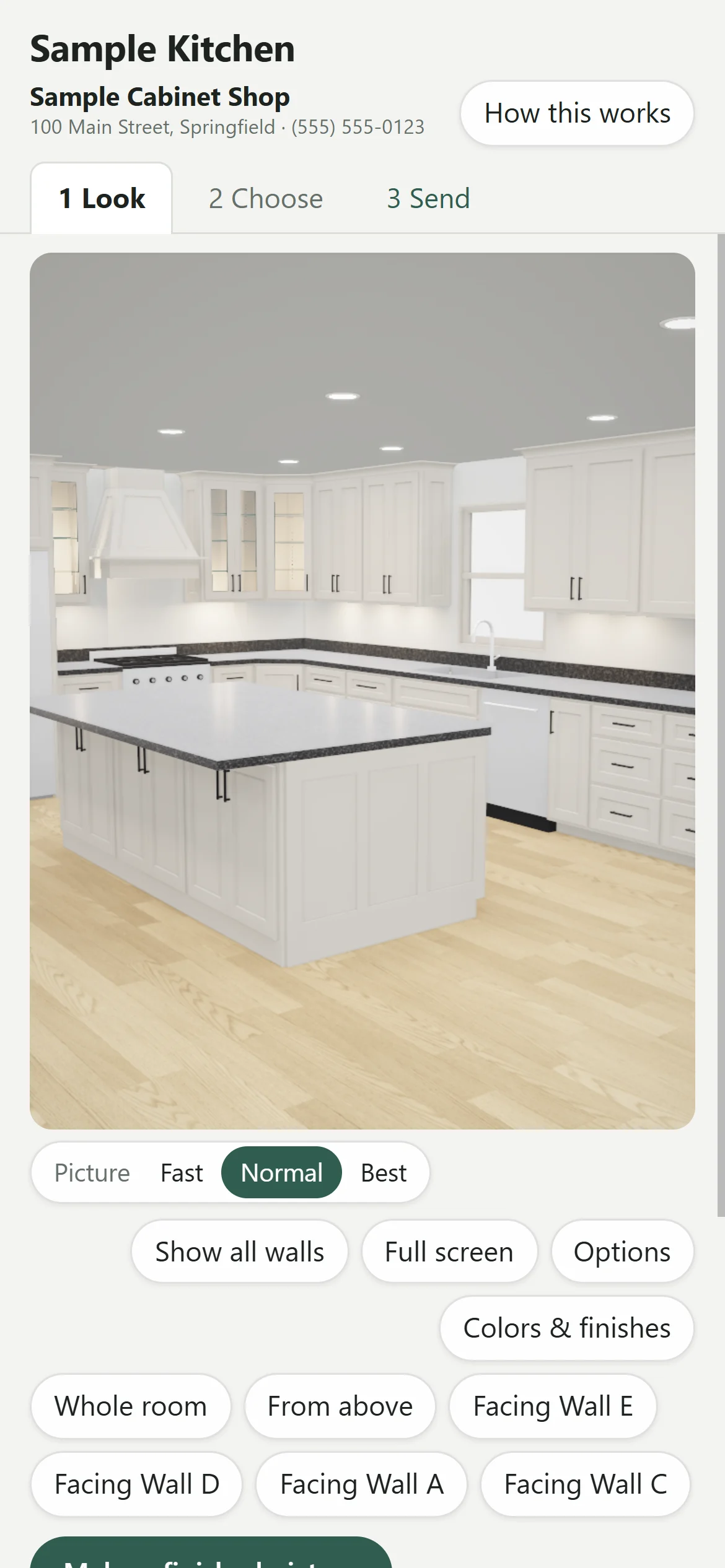
One file the customer opens on their own computer or phone: they turn their kitchen around, look inside, pick from your colors and hardware, and send you their choices. Nothing to install.
The full program for 30 days, with a sample kitchen ready to open.