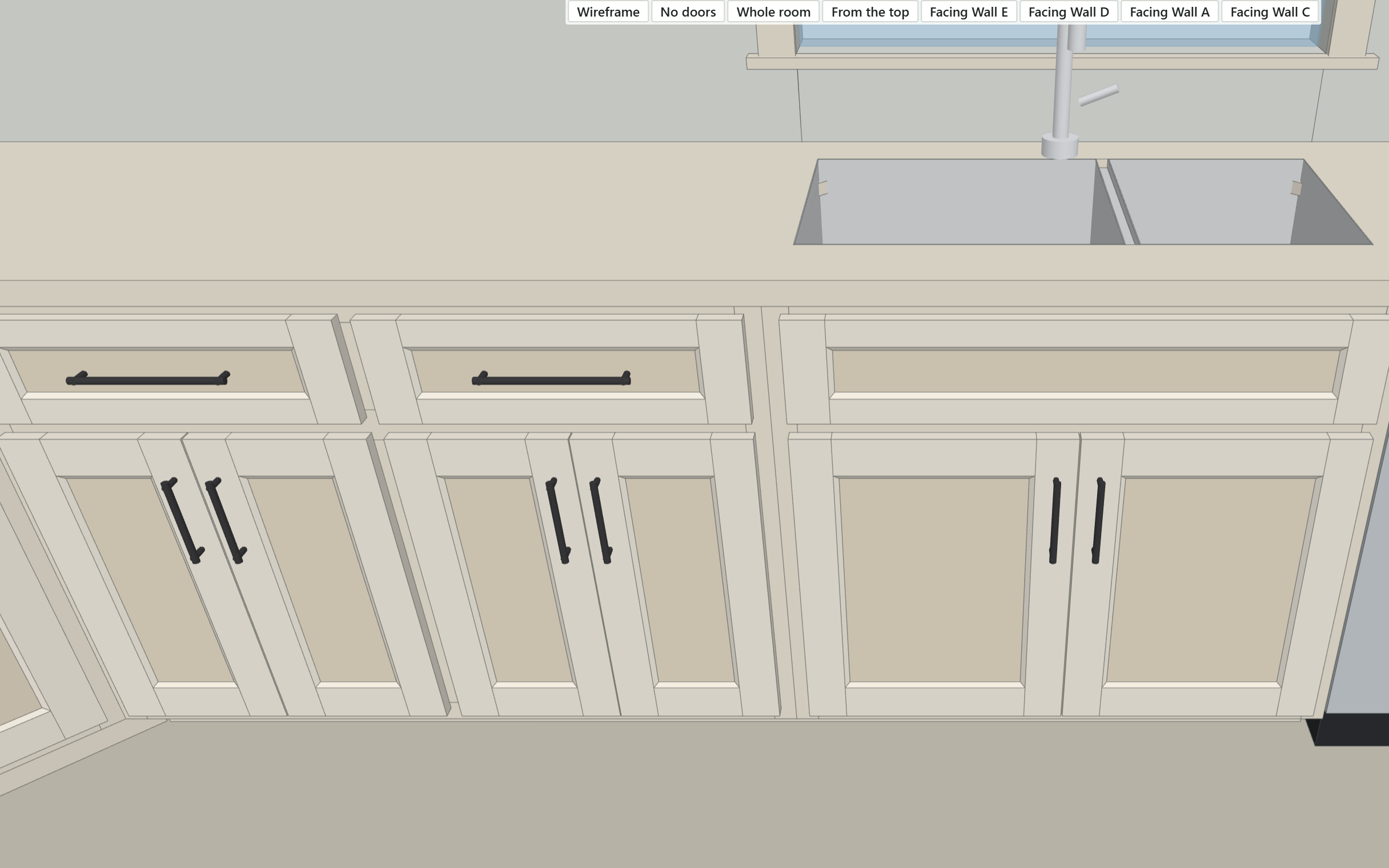
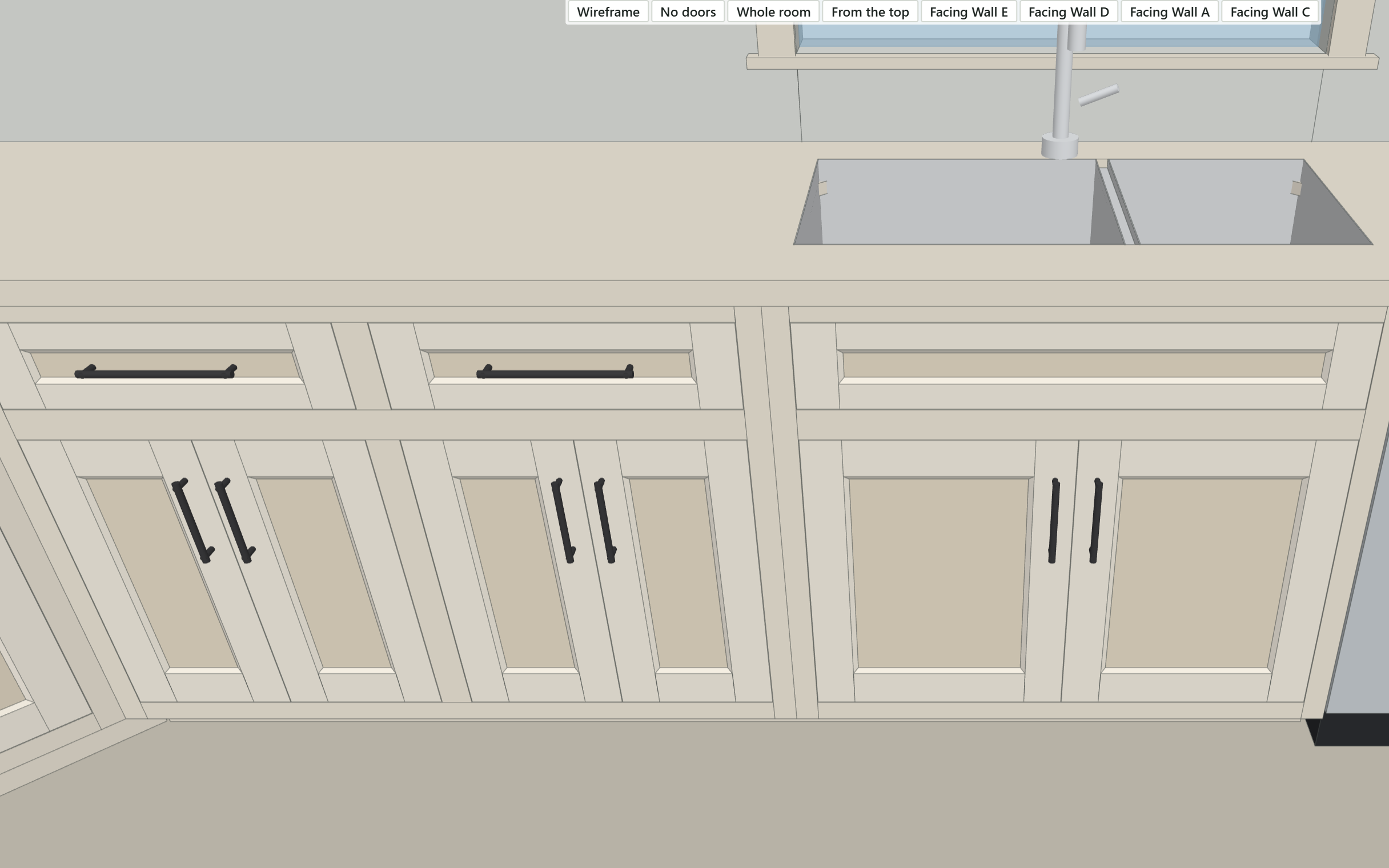
Inset or overlay
Doors and drawer fronts over the face frame or inside it, with your reveals. For the whole shop, one room, or one cabinet.

Your shop, your way
Every size comes from your settings. Each setting says in plain words what it does, with a drawing beside it showing the part it changes.
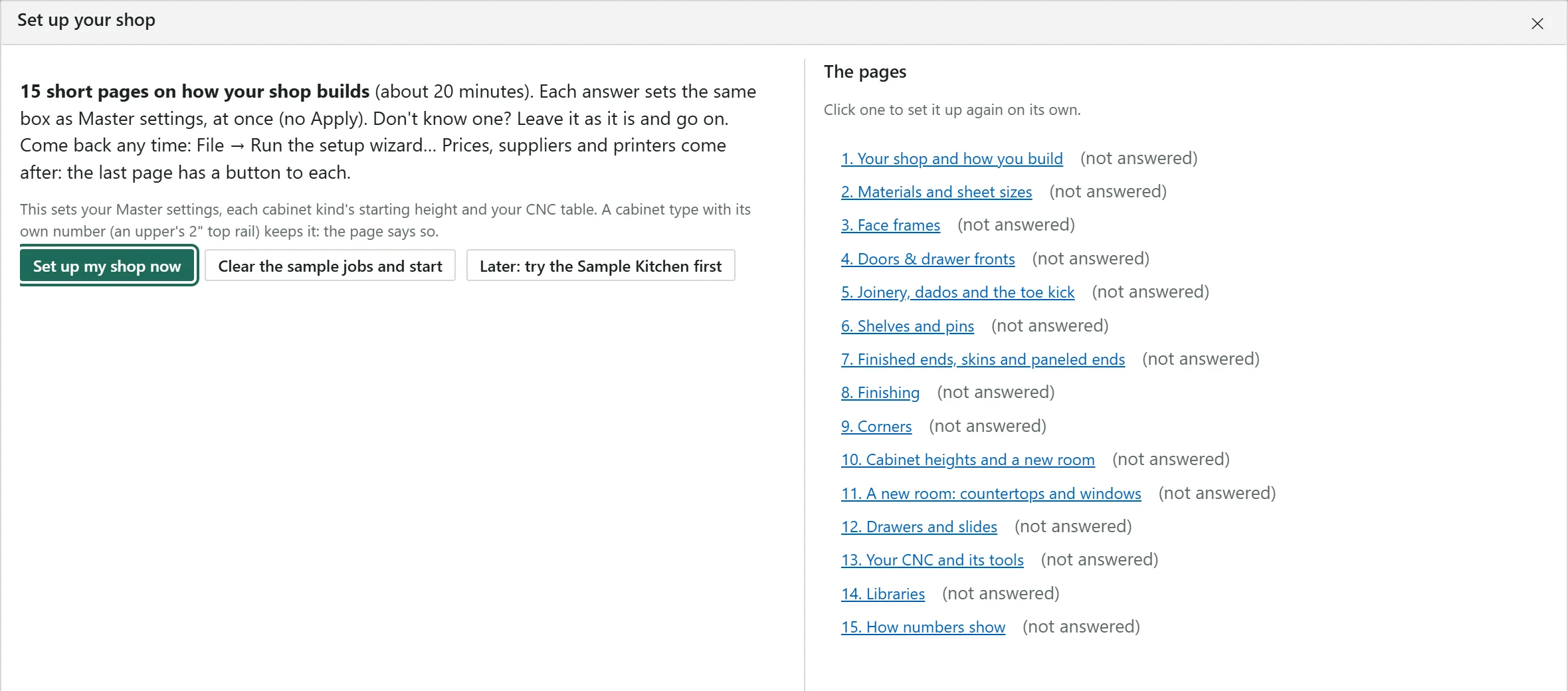
Fifteen short pages on how your shop builds, about twenty minutes: your materials, face frames, doors, joinery and toe kick, shelves, finished ends, finishing, corners, cabinet heights, drawers and your CNC.
Each answer sets the same box as the full settings, so nothing is kept in two places. Don't know one yet? Leave it and come back any time.
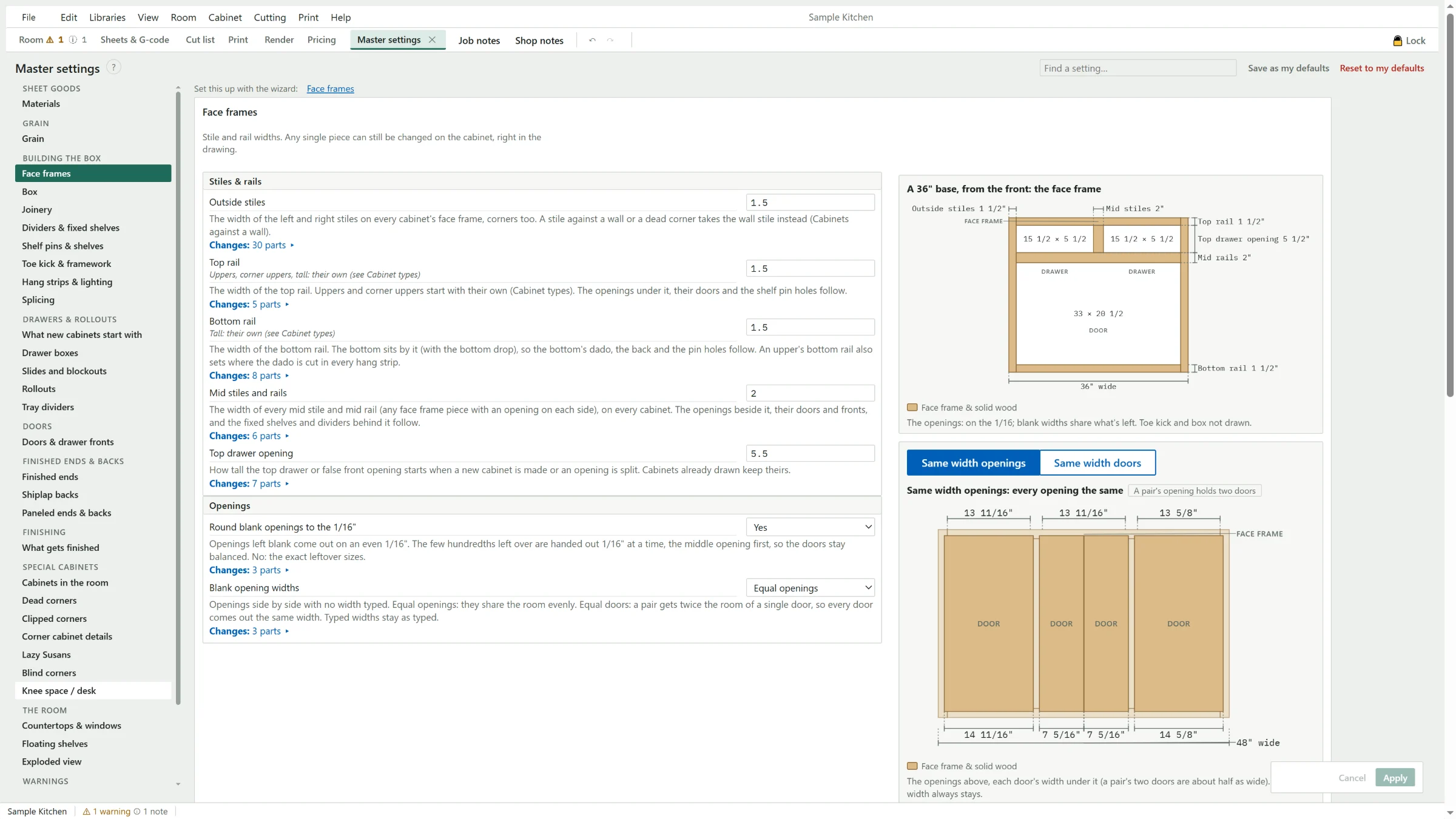
The drawing beside each page shows the parts its settings move, drawn from the program's own numbers. Under every setting: what it does, and how many parts it changes.
Set it for the whole shop. Then change it for one kind of cabinet, one room, one cabinet or one opening when a job calls for it. A blank box always says where its number comes from.
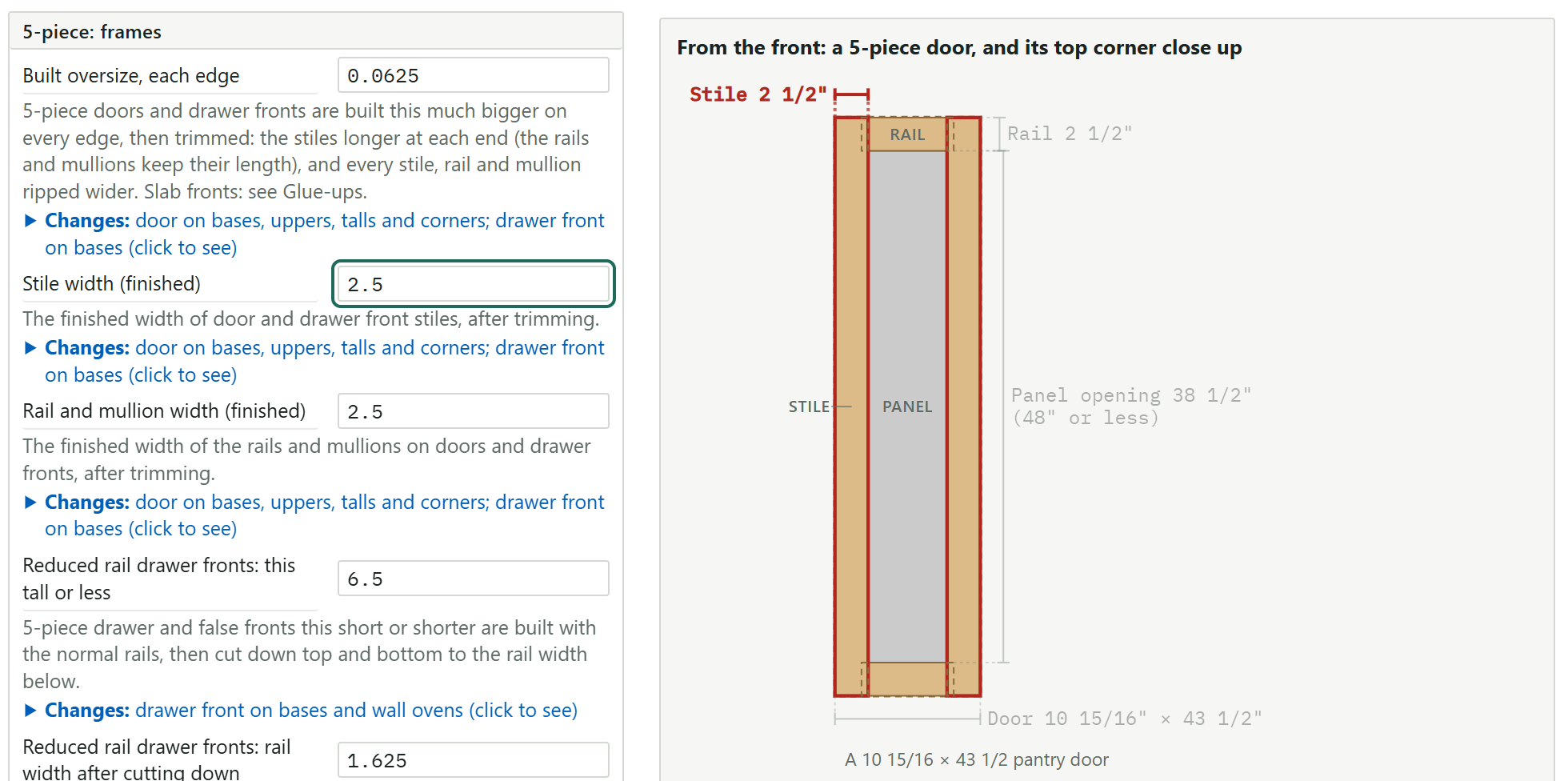
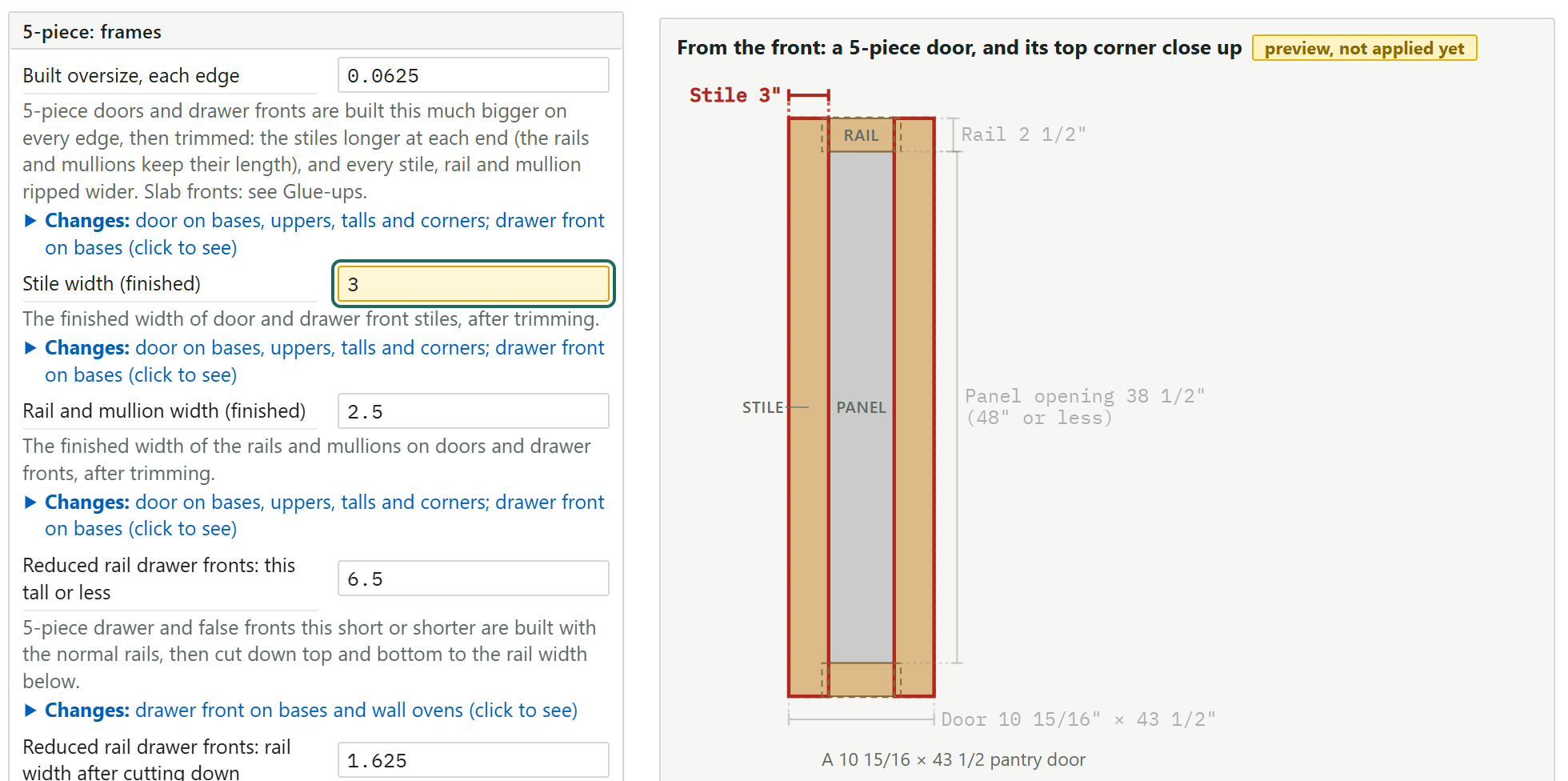
Type a new size and the drawing beside it redraws right away, before anything is applied. Here a door's stiles go from 2 1/2" to 3".
Nothing changes until you press Apply, and Cancel puts it all back.
A few of the ways shops build differently. CabWorks follows yours.
Doors and drawer fronts over the face frame or inside it, with your reveals. For the whole shop, one room, or one cabinet.
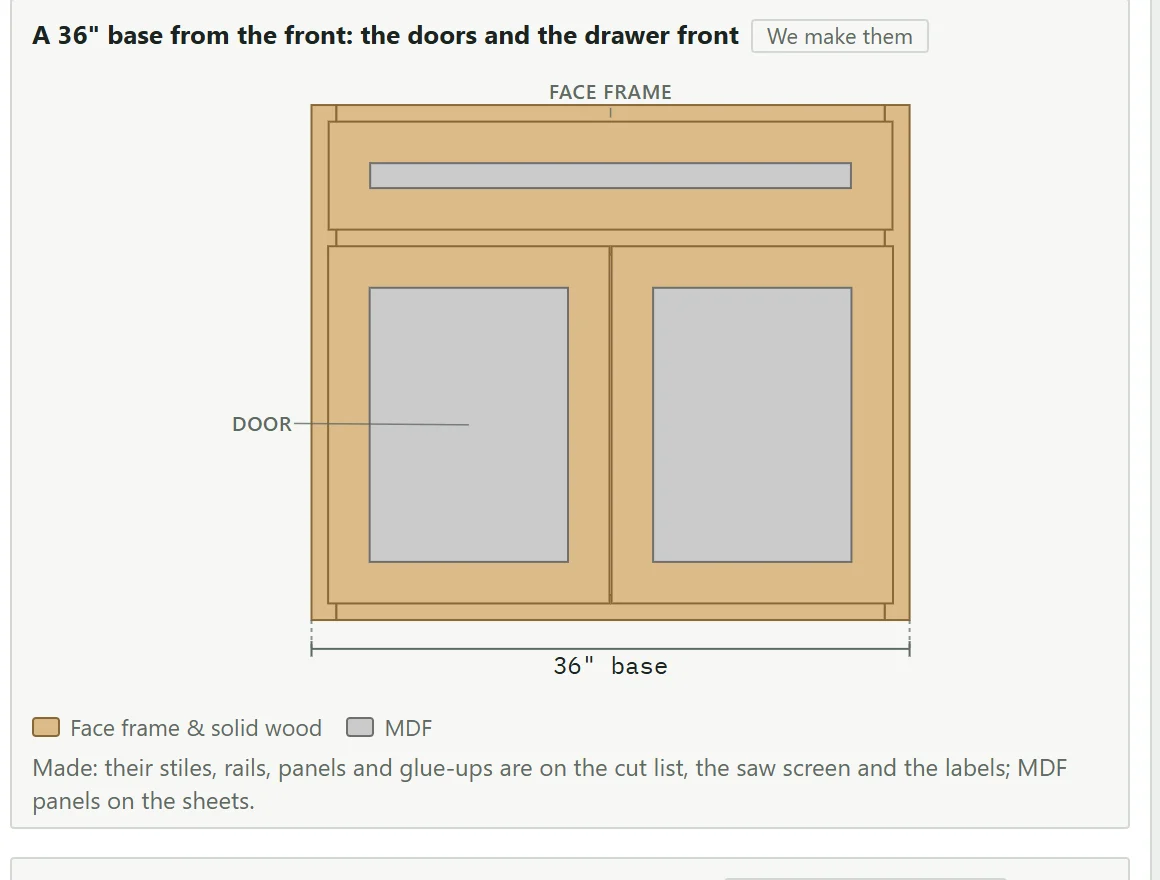
Made in your shop or bought from your supplier. Five-piece or slab, flat or raised panels, glass doors, mid rails and mullions. Numbered so pairs always match.
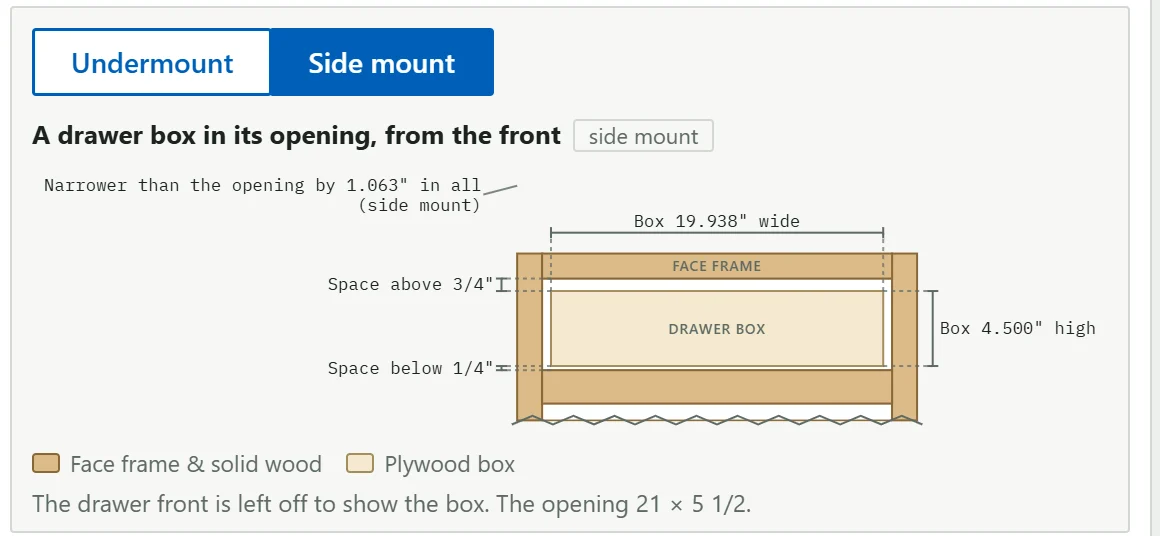
Undermount or side-mount slides, the lengths you stock. Baltic birch or solid wood boxes, dovetailed or butt-jointed, made or bought. Blockouts figured for each opening.
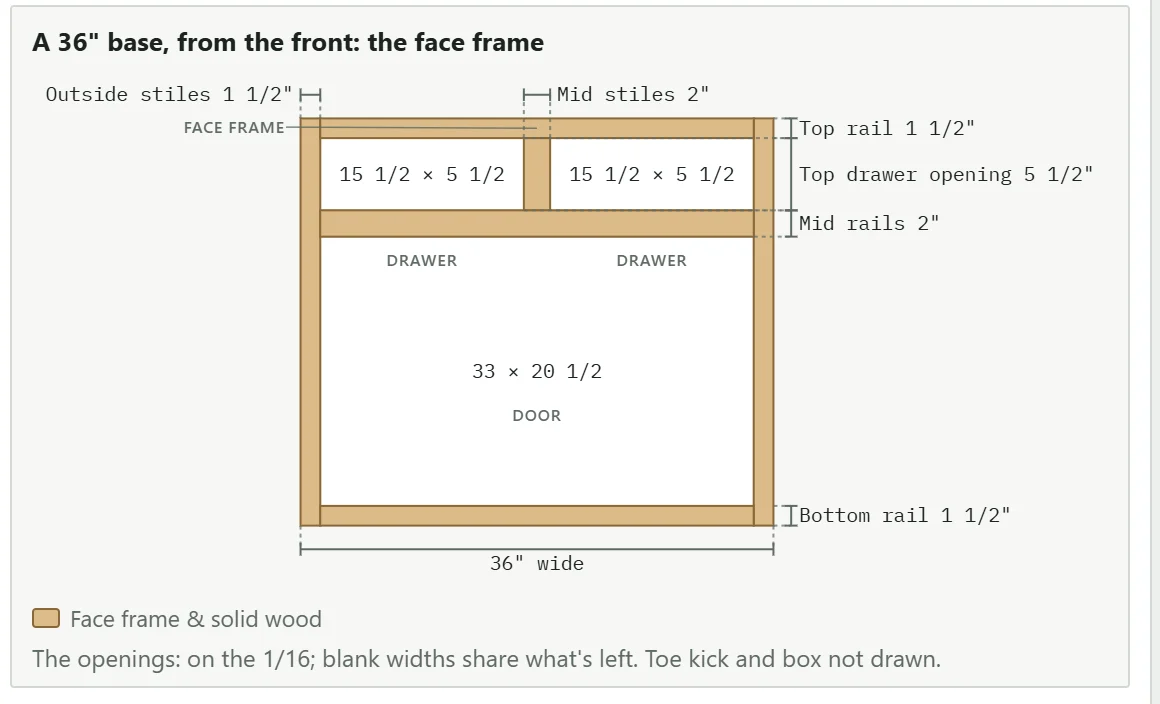
Your stile, rail and mid rail widths, a wider stile where a cabinet meets a wall, drop stiles to the floor. Marked the shop way: the cabinet number, -R, -M.
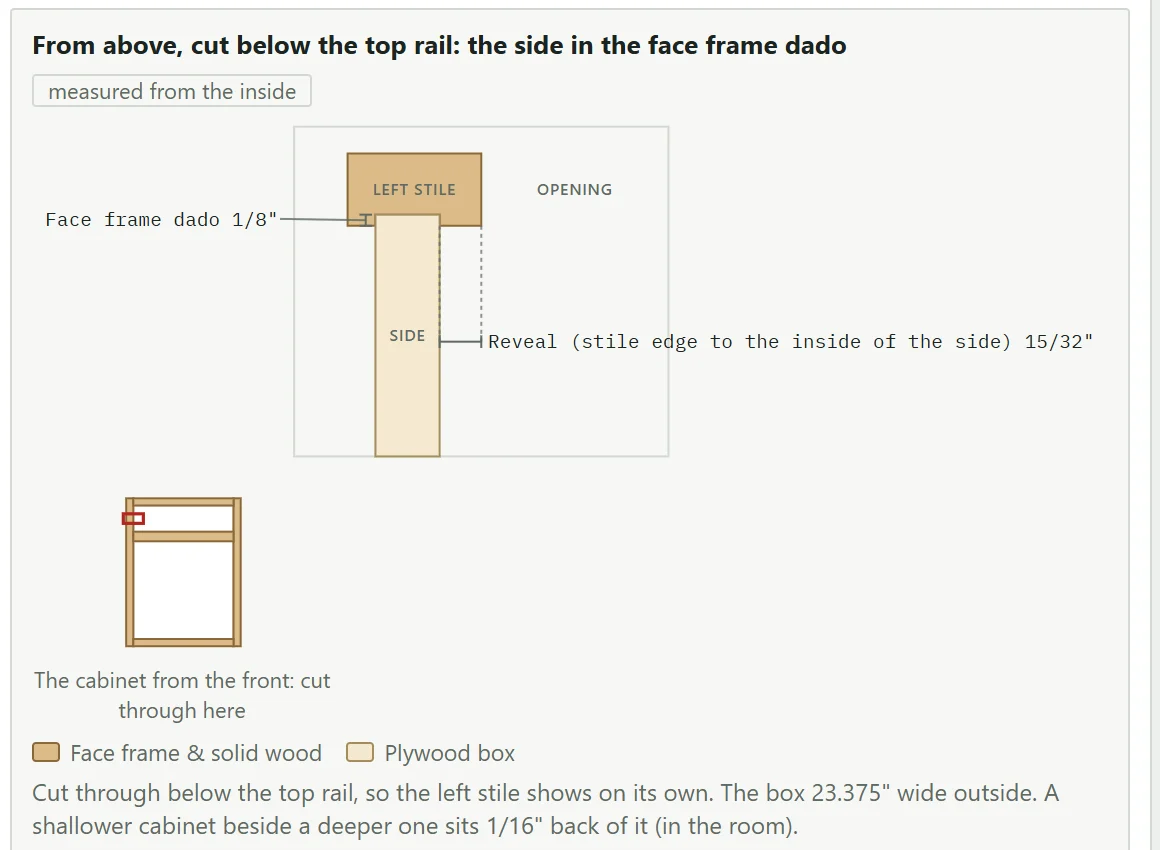
How the box sits behind the face frame, dado depths, back thickness, hang strips, plywood good on one side or both. The CNC dados sized to your plywood.
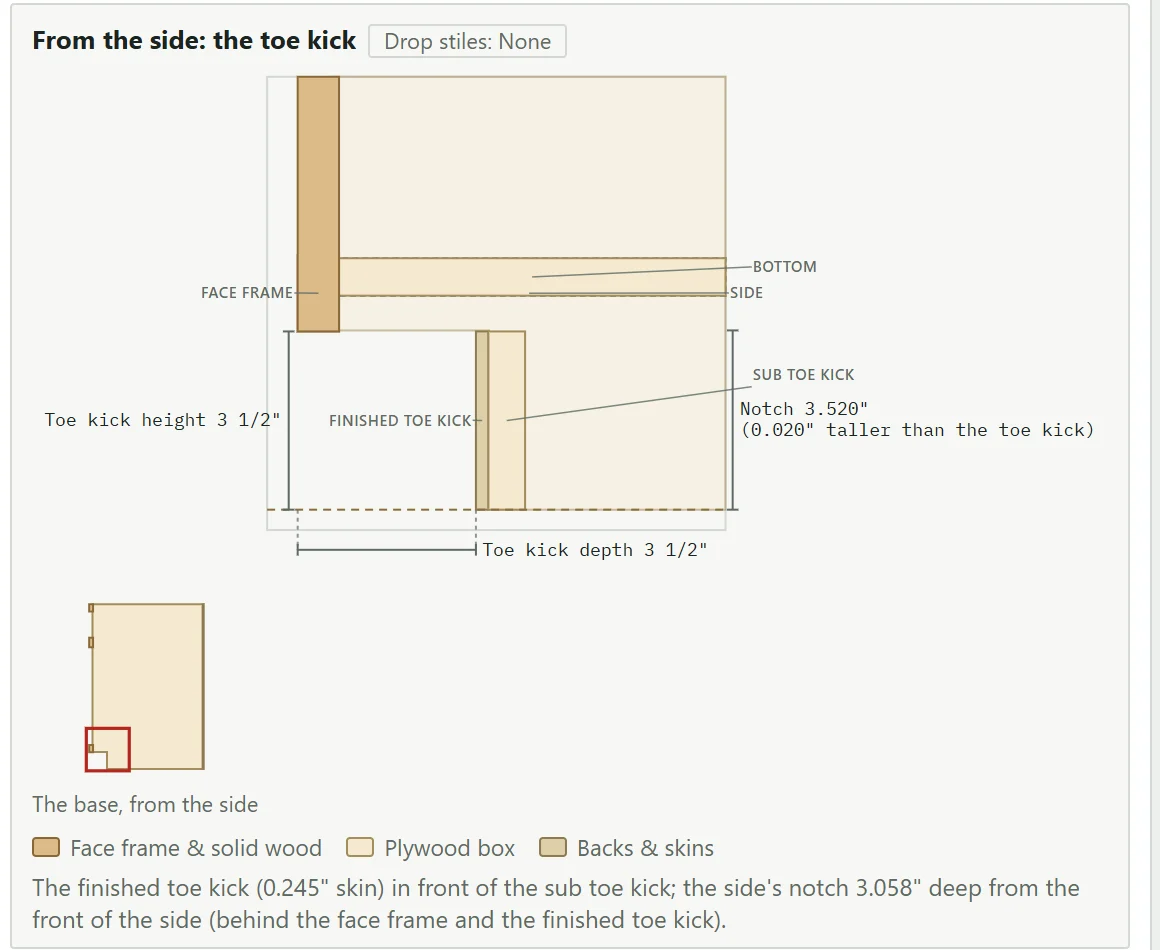
Built into the cabinet or on a base frame, the stretchers the way you set them, sink cabinets framed your way, and finished toe kicks where they show.
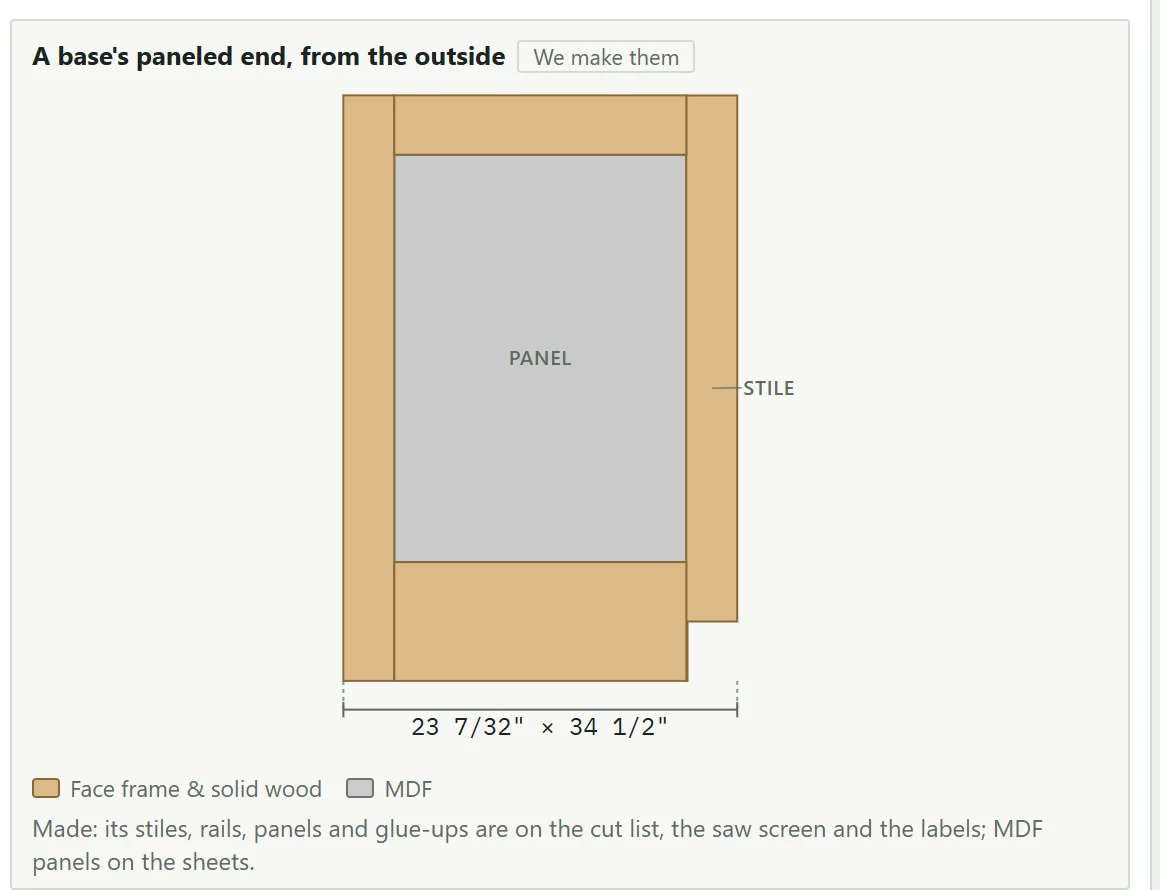
Skins, paneled ends or shiplap, on the cabinets that need them, with backs to match on an island.
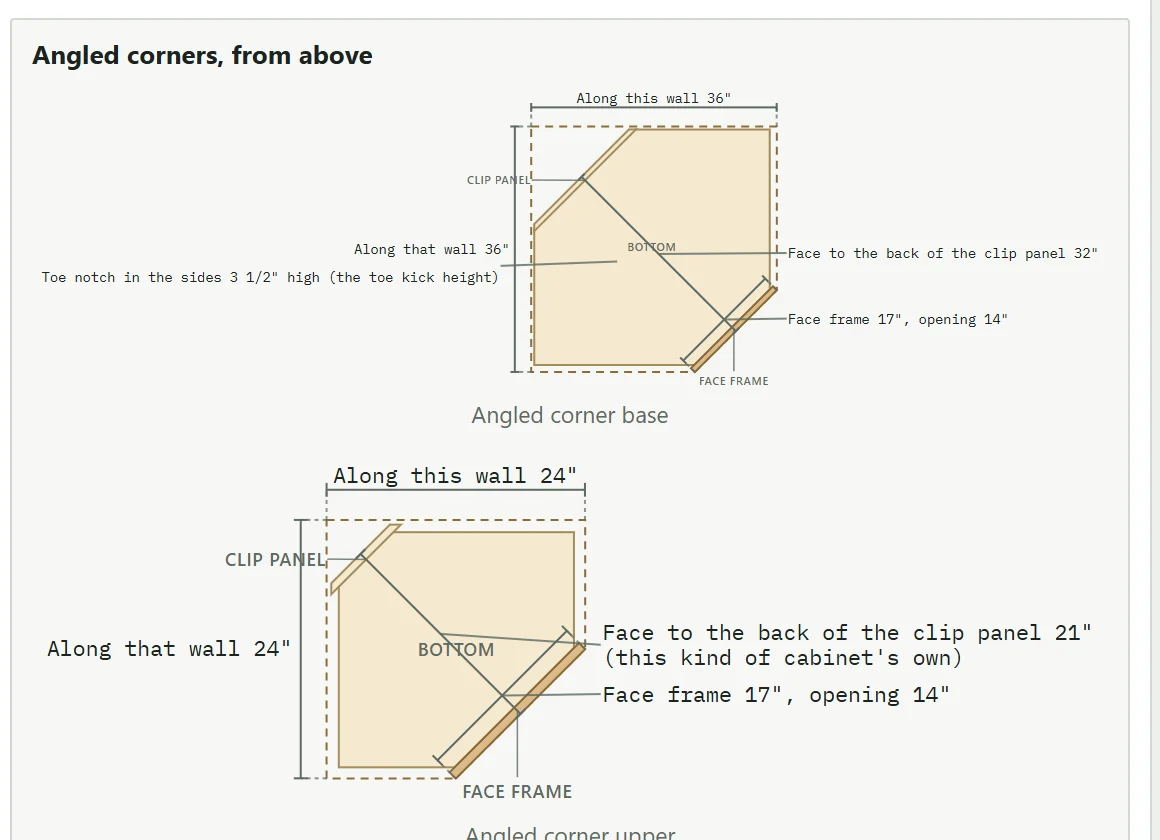
Blind, angled or square corner cabinets, base and upper, Lazy Susans and dead corners, built the way you build them.
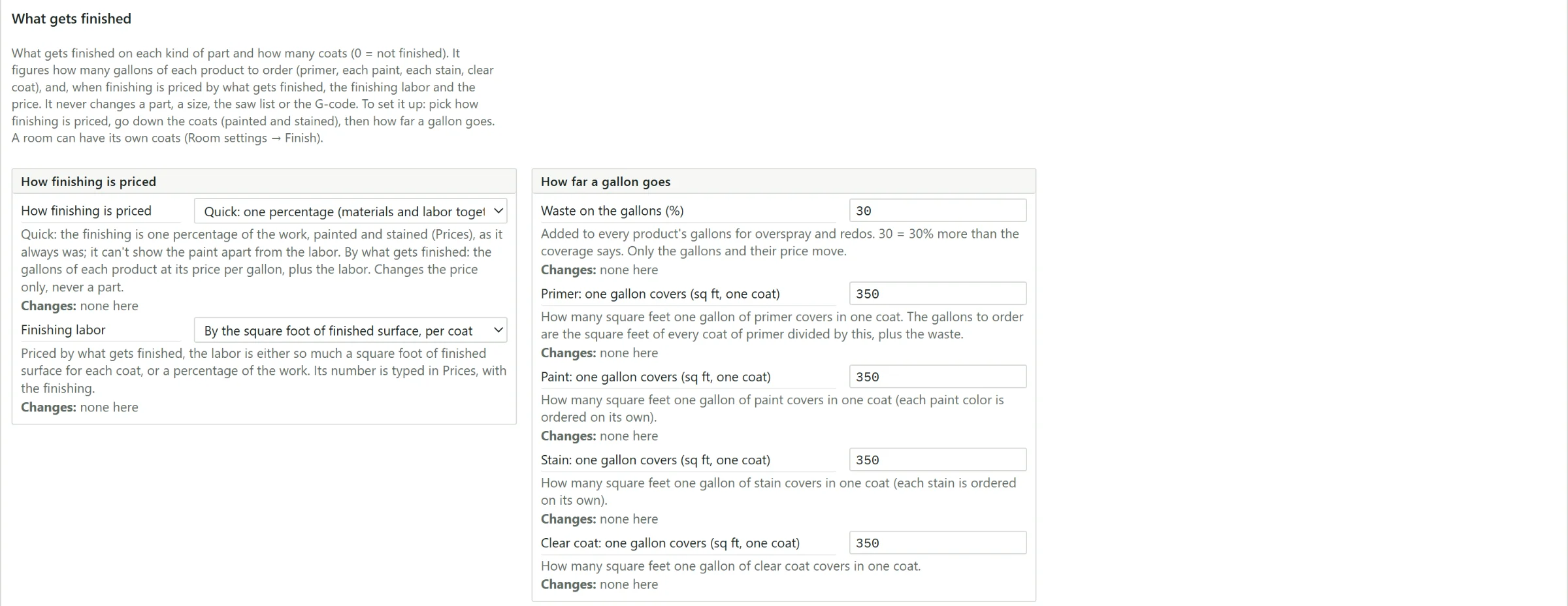
Room by room, each with its own plywood and wood. Set the coats on each kind of part once, and every job knows its gallons and, if you like, prices its finishing by them.
One window for everything you offer and everything you buy. Every job picks from your lists, and every price has one home.
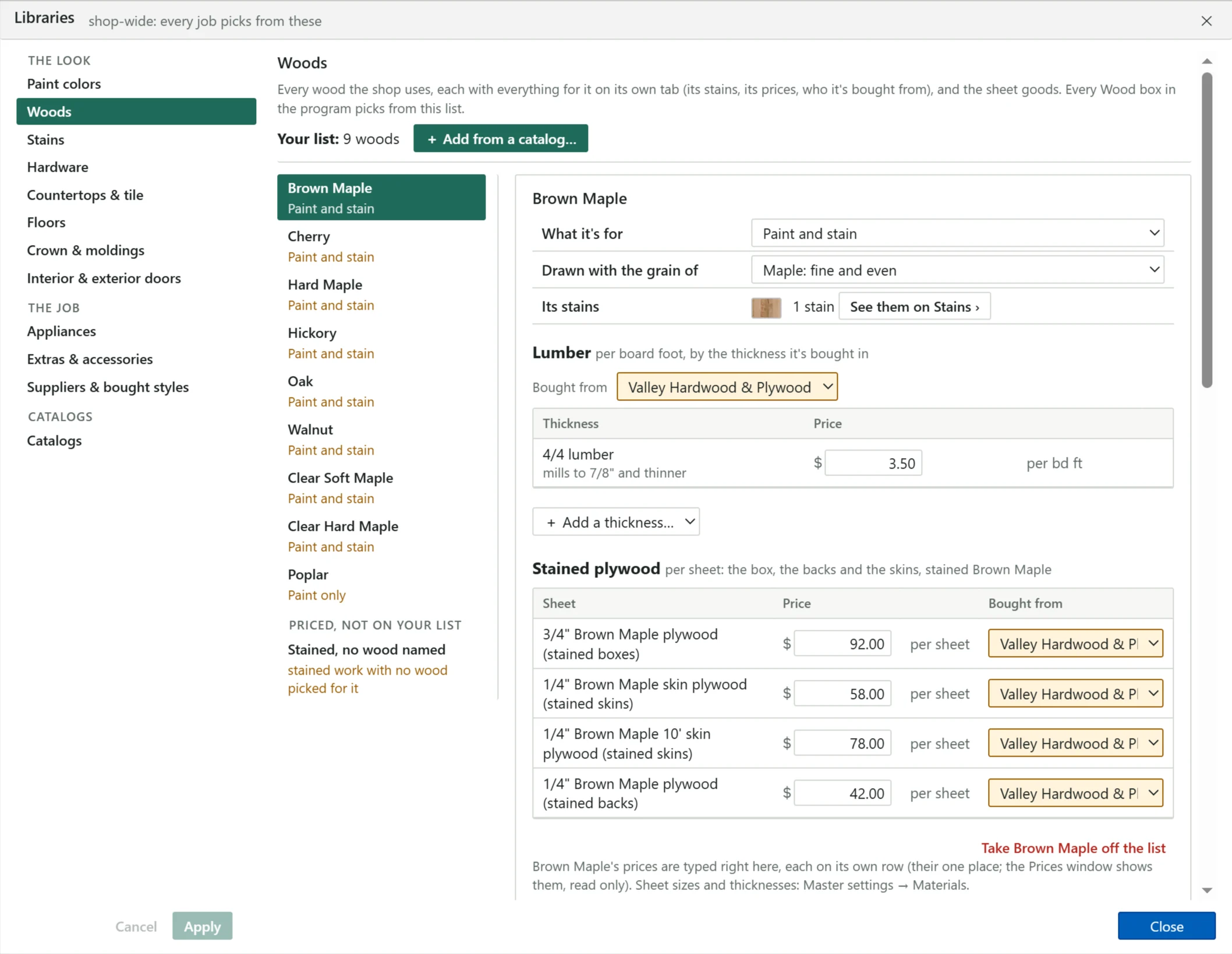
Each wood with its lumber price by thickness, its stained plywood, and who you buy it from.
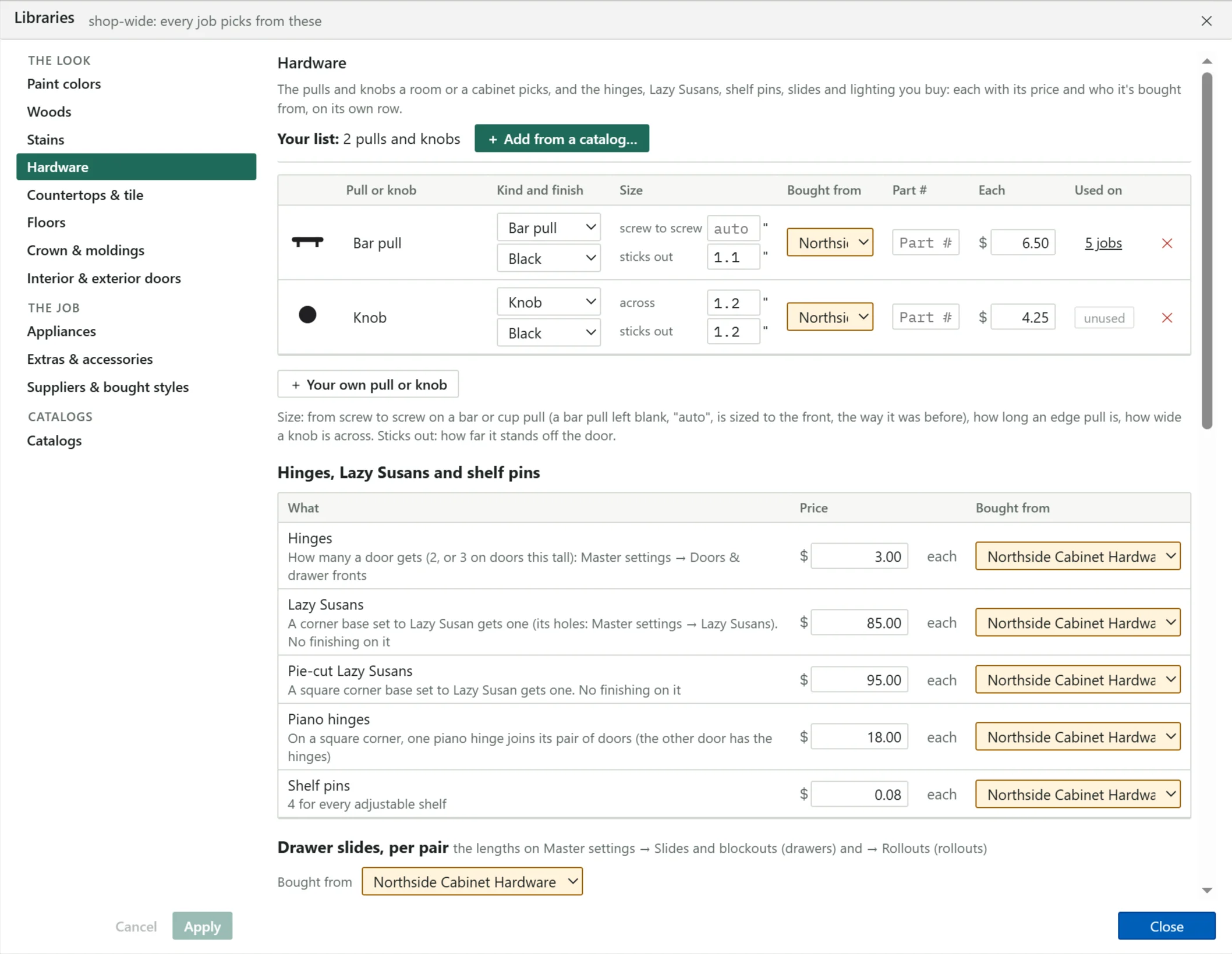
Pulls and knobs, hinges, Lazy Susans, shelf pins, slides and lighting, each with its part number, price and supplier.
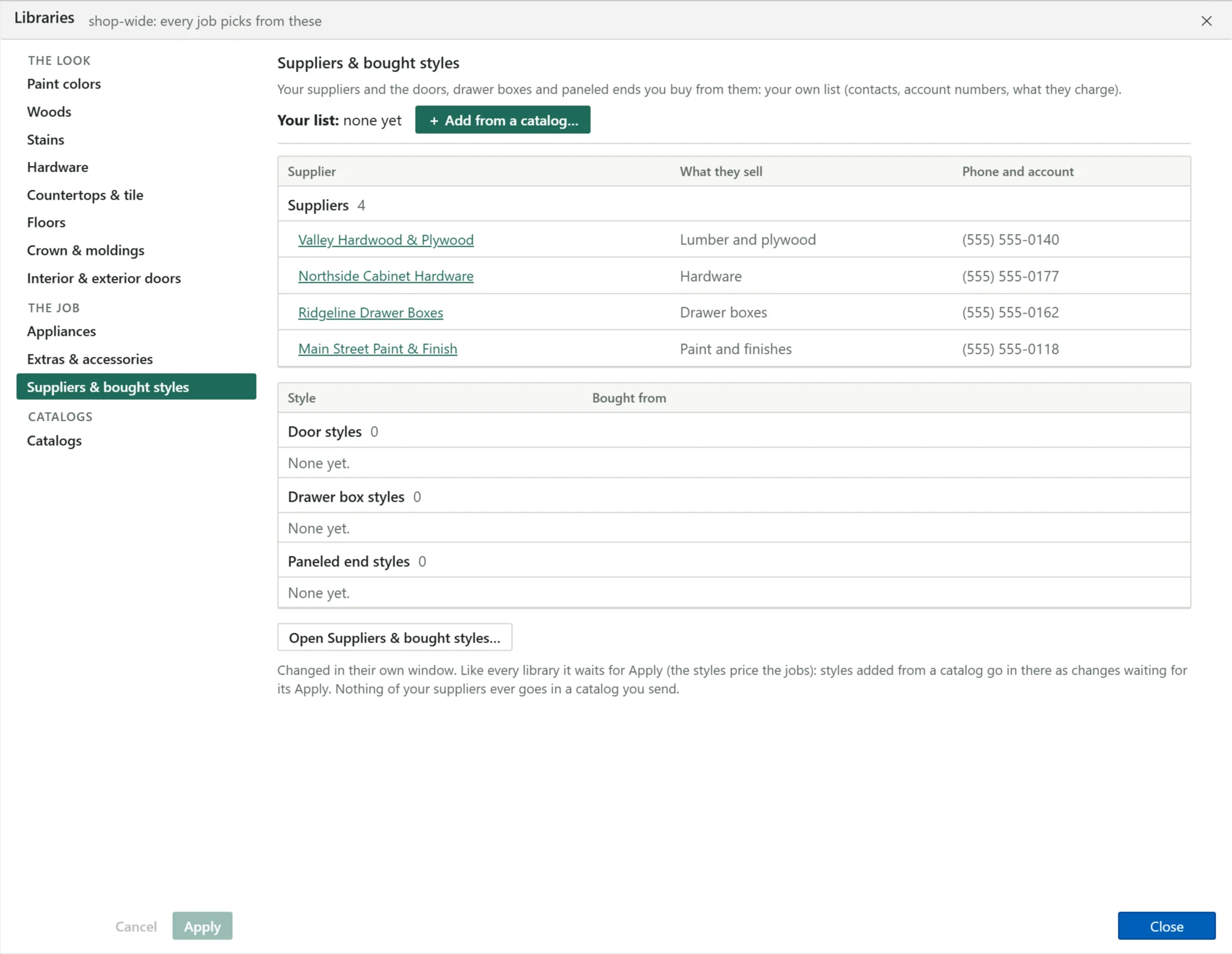
The doors, drawer boxes and paneled ends you buy, by style, with who makes them. Their orders print ready to send.
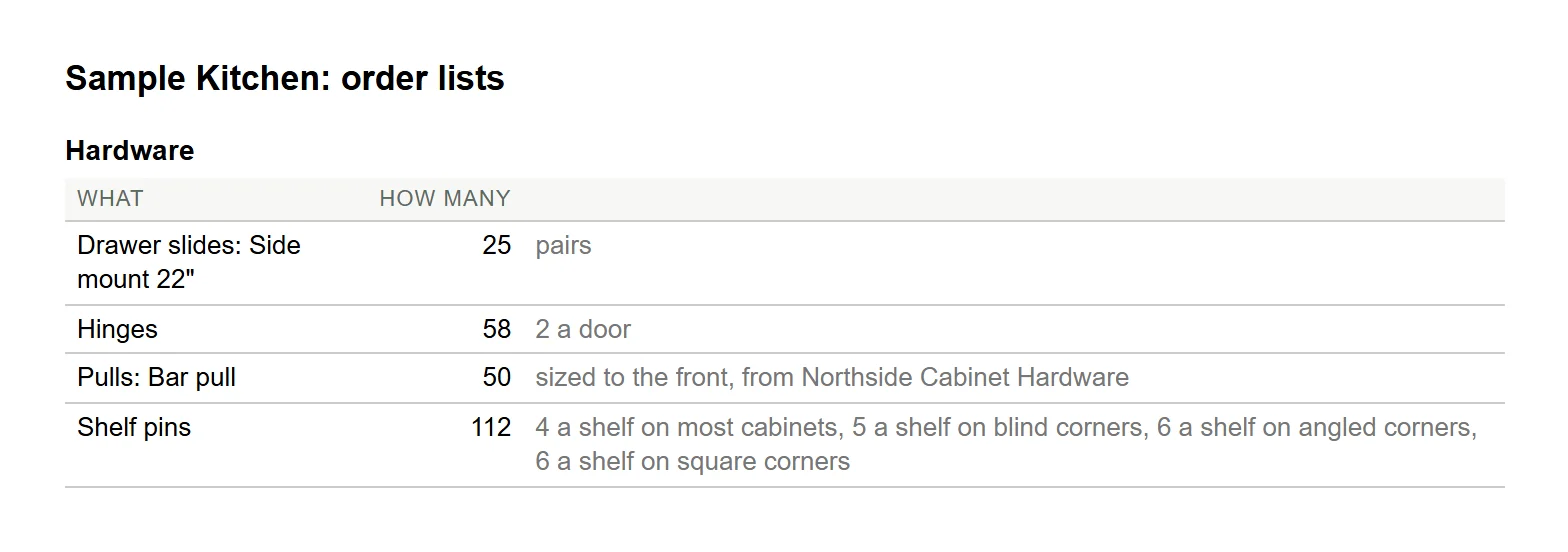
Sheet goods, lumber, hardware and paint, straight from the job's real parts.
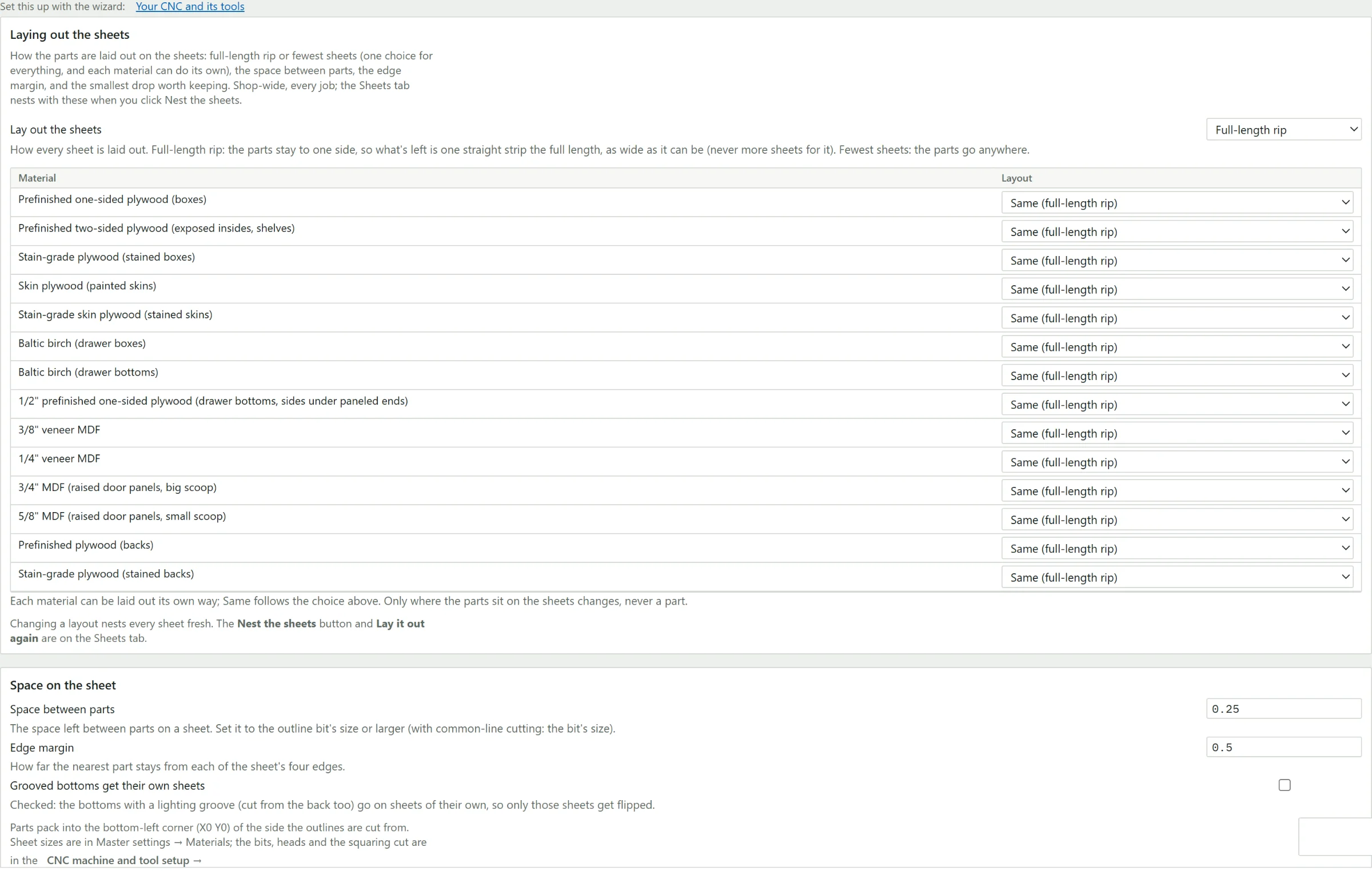
Your sheet sizes and thicknesses, your tools and feeds, and your machine's travel. The safety check reads every program against your machine's own limits before it can be saved.
CabWorks writes G-code for WinCNC controllers today (CAMaster and other WinCNC machines). Running something else? Tell us your machine.
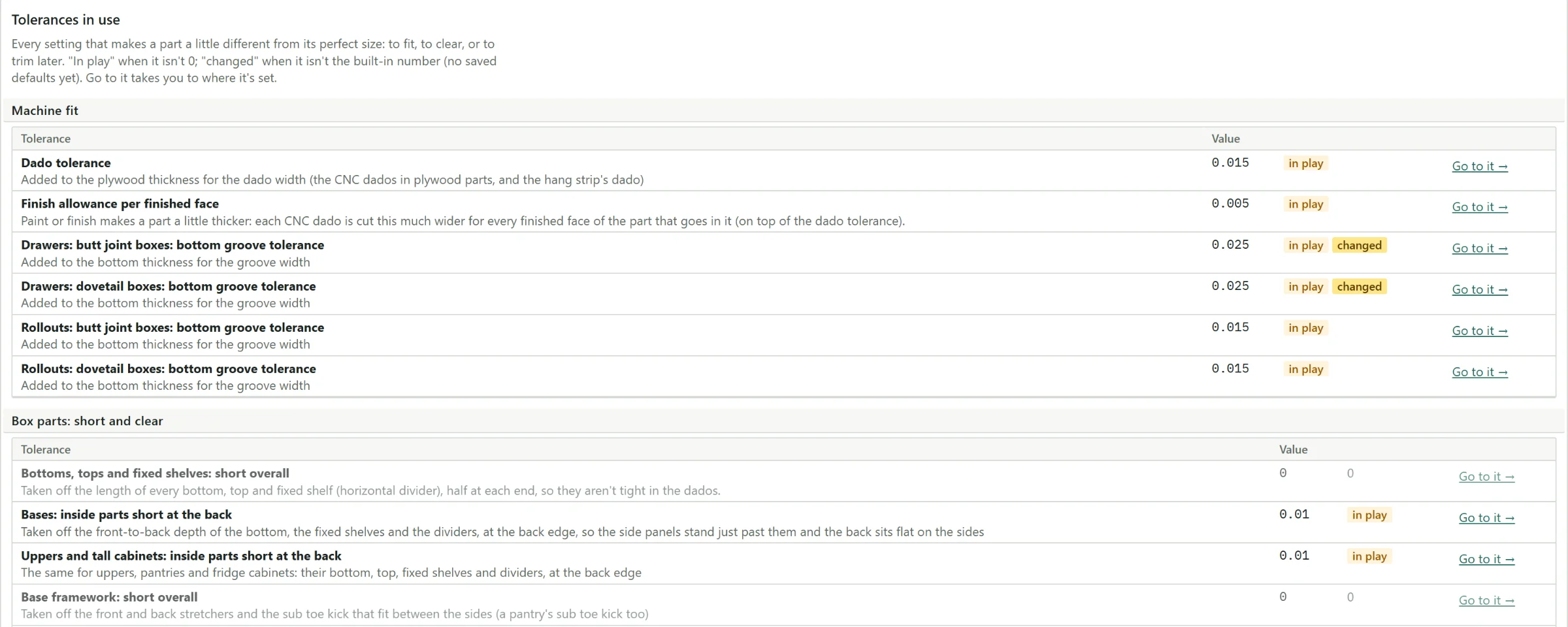
The dado tolerance, the room paint takes, the box parts held short at the back: every setting that makes a part a little different from its perfect size, on one page, with "Go to it" beside each.
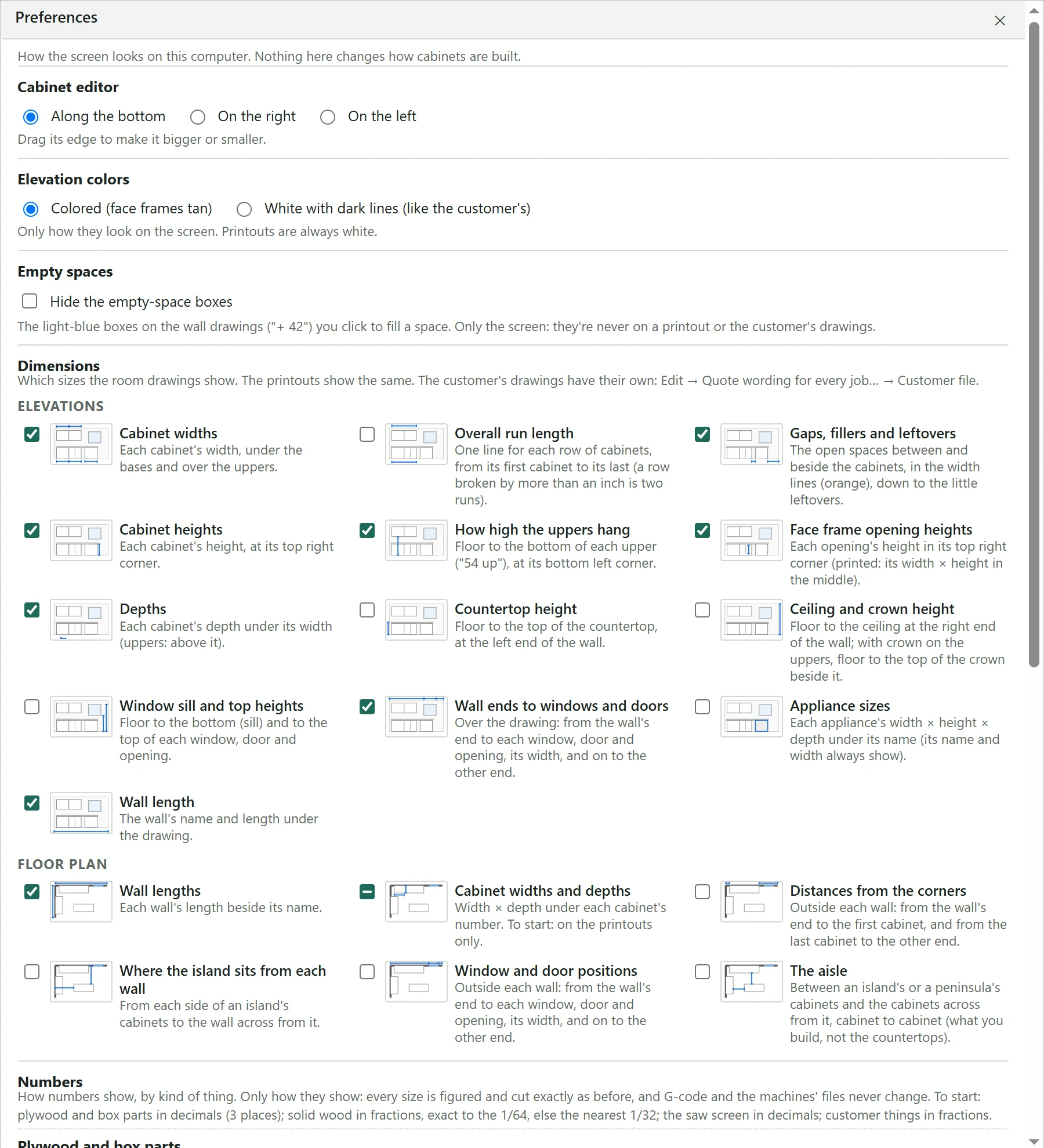
Pick which dimensions show on the floor plan and the wall drawings, each with a small picture of what it adds. The customer's printout gets its own set, from none at all to everything they need.
The full program for 30 days. Run the wizard, draw a kitchen you've built, and check the parts against your own.